Manual mode settings fireworks phone
You’re about to capture better fireworks with your phone using Manual mode. Learn to balance exposure, shutter, and focus to keep trails crisp and colors rich, without washing out the sky. Treat it like directing the show with a camera compass.
Manual mode gives you three levers to tune: shutter speed, ISO, and aperture. For fireworks, use a longer shutter to reveal trails, a low ISO to reduce grain, and a steady aperture to prevent flare. Test and tweak until you see clean trails and vibrant color. In darker areas, the sensor handles noise better when ISO stays reasonable. Each phone is a bit different, so a few tries help you get the hang of it.
Practice with a steady stance or tripod, frame before the first burst, and lock focus and exposure for consistency. Compare shots to learn which trails look best with your phone’s color science. Practice pays off: you’ll routinely capture bright bursts without clipping highlights or losing depth in the dark sky.
Set shutter priority for trails
For long, glowing trails, set your phone to a slow shutter speed (often under Manual or Pro mode as Shutter or Exposure Time). Start around 1–2 seconds and adjust to taste. Shorter speeds prevent overexposed trails; longer exposures create winding trails around 2–4 seconds.
Keep ISO low (100–200 first) to minimize grain. Check the histogram to keep bursts bright but not blown out. A tripod helps you push exposure longer without blur. The aim is clean trails against a dark sky.
If you’re pre-planning, compose to let trails overlap nicely and avoid clipping the brightest bursts. Test a few frames to lock in the right shutter and ISO. PATIENCE yields crisp, dramatic bursts.
Best Settings for Shooting Fireworks with a Smartphone Camera in 2026
To optimize for color, trail length, and sky depth, start with: shutter 1–2 seconds, ISO 100–200, and a fixed mid-range aperture if available. If your device supports RAW, enable it to fine-tune exposure later. Lock white balance to about 4000–5200 K for consistent color. Use Manual or Pro mode for long trails, and keep focus locked to infinity or a distant sky point. A tripod or solid surface stabilizes the shot, and bursts help you capture multiple angles for later selection.
If available, compare Manual vs dedicated Night or Fireworks modes; manual often gives you finer control over long trails. Monitor exposure with the histogram and aim for a few clipped highlights but mostly balanced areas.
Toggle manual focus and lock
Lock focus in Manual focus mode by setting focus distance to infinity or a distant point, then use screen lock if available. A locked focus keeps trails sharp as fireworks rise. If focus slips mid-show, re-lock between bursts. Once focus is secured, you can focus on timing and composition with confidence.
Low ISO and long shutter for clear trails
Low ISO and longer shutter speeds yield brighter, cleaner trails and deeper sky. A low ISO (50–200) reduces grain and preserves color. Exposures from 1 second to several seconds let the full arc of each burst appear as a smooth trail. If overexposed, lower ISO or shorten the exposure; if trails are too faint, lengthen the shutter or raise ISO slightly, but avoid high ISO.
Think of it as painting with starlight: low ISO plus long shutter creates readable, cinematic trails that highlight timing and shapes.
Start with ISO 50–200 (low ISO long shutter fireworks mobile)
Begin at ISO 50–100 with 1–2 second exposures to lock early trails, then increase to ISO 150–200 for brighter bursts as the sky fills with color. Use manual or Pro mode to fix ISO and exposure; lock it if auto-adjustment interferes. Consistency helps you compare shots and build a reliable sequence.
Try 1–4 second exposures (smartphone long exposure fireworks 2026)
Longer exposures (1–4 seconds) capture more of the trail in a single frame. A 1-second exposure freezes quick bursts; 3–4 seconds yield a tapestry of trails. Start with 1–2 seconds for a baseline, then trial 3–4 seconds when bursts are dense. Shorter times yield bolder paths; longer times create a fuller sky of light.
Plan around the show: 1–2 seconds for a clean baseline, then 3–4 seconds for a dense tapestry. This approach delivers dynamic frames and reduces flat, single-exposure shots.
Use long exposure noise reduction
Turn on long exposure noise reduction to keep trails clean. This adds a second shot after the exposure to map and subtract fixed pattern noise, resulting in smoother trails and truer colors. If you’re shooting a sequence, expect a brief pause after each frame. The payoff is clearer, crisper lines and a more confident look in your final edit.
Tripod stability tips fireworks smartphone
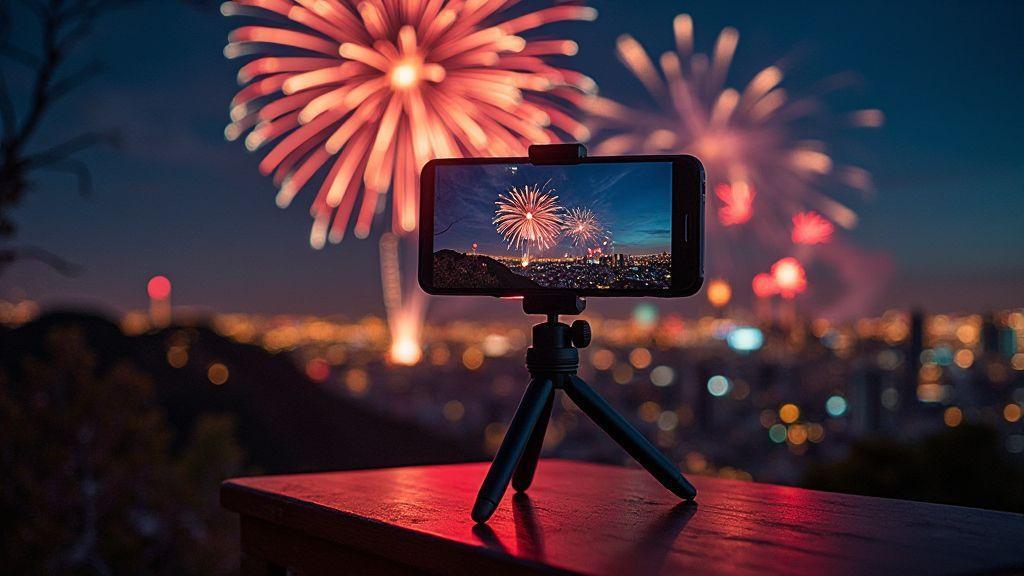
Tripod stability is essential to prevent blur and ghosting during long exposures. Start with a solid base, ensure the rig is tight, and check the setup in windy conditions. A wide, non-slip bottom and locked legs help maintain a steady frame. Ground unevenness? Add padding or weight to stabilize the legs. A rock-solid base lets you hold the composition longer and capture more bursts.
Use a sturdy tripod or clamp
Choose a robust tripod or clamp that fits your phone without scratching. A metal frame with rubber grips is ideal. Ensure the clamp head tilts and locks for precise framing. Spread the legs wide and lock them, especially on uneven ground. A quick shake test confirms stability before you shoot.
Use a remote or self-timer to avoid shake
A remote or self-timer minimizes camera shake. Set a 2-second timer if no remote is available, so your finger won’t disturb the shot. If using a remote, account for a tiny lag and time the shot just after the click. Practice a few timed shots to verify framing and stability.
Stabilize with weight or sandbag
Weight the tripod with a sandbag or similar to lower the center of gravity on breezy nights. Place weights where they won’t trip anyone, and keep them out of the way of movement. A heavier base means fewer readjustments and steadier trails.
Shoot fireworks in RAW on phone
RAW captures preserve more data for post-editing, letting you recover highlights, adjust color, and fine-tune exposure after the fact. Keep the shot steady and minimize movements, since fireworks move quickly. If you’re new to RAW, practice on a static scene first.
- RAW gives you latitude to push color and brightness without heavy compression.
- ProRAW or native RAW formats on your device work similarly; the goal is maximum data for editing.
Enable RAW or ProRAW capture for editing
Turn on RAW or ProRAW in your camera settings. Expect a flatter, less processed preview, which is normal. Use lower ISO and longer shutter to capture trails without blown highlights. Practice with bursts to understand how RAW responds to edits.
Recover highlights and tweak color in RAW
In editing, lower highlights to reclaim bright areas, then adjust white balance and vibrance. Balance color to maintain natural tones (blue skies, warm golds) without oversaturation. Compare edits side by side; small tweaks can dramatically improve the look of bursts and trails.
Save DNG or lossless formats
Export edited files in lossless or DNG (or TIFF/PNG, if available) to preserve detail. Keep a master RAW file and a separate edited version for flexibility. A clean archive helps you revisit the Best Settings for Shooting Fireworks with a Smartphone Camera in 2026.
Focus and exposure lock fireworks smartphone
Lock focus and exposure to keep the burst colors true. AE/AF lock stabilizes brightness and prevents rapid shifts during a show. If your device supports Manual or Pro modes, set a stable baseline before the first firework pops.
- Lock focus on a bright area or infinity, then review the frame for clipping or dark shadows.
- Practice locking before bursts to maintain consistent brightness and easier stacking later.
Tap and hold to lock AE/AF before bursts
Touch and hold to lock focus and exposure at a chosen sky point. A lock icon or vibration confirms the setting. Lock early, then shoot a sequence to compare brightness and trail consistency.
Lower exposure to keep color and detail
If scenes wash out, lower exposure slightly and adjust ISO or shutter speed to maintain color and detail. A lower exposure helps preserve reds, blues, and golds while keeping trails distinct. Shorter exposures can prevent motion blur in handheld shots.
Use manual focus if available
Manual focus is a powerful tool here. Pre-focus on a distant landmark, then lock focus to maintain sharp trails. If your phone lacks a focus ring, use touch-to-focus on a distant object and lock it. Avoid refocusing during bursts to preserve trail clarity.
Video timelapse and AI night modes
Mix timelapse with AI night modes to capture dramatic fireworks. Timelapse compresses many frames into a short clip; AI night modes brighten stars, sparks, and trails without washing out colors. Plan your shot, stabilize the tripod, and apply AI processing afterward for best results.
handheld shots can benefit from AI night mode, but timelapse benefits from a steady base. Start with longer intervals for high fireworks, then shorten if trails become too dense. Review a short preview to ensure color accuracy and natural movement. Balance file size and quality by choosing a moderate resolution and bitrate. If available, test different AI strengths to see which preserves the burst colors best.
Set timelapse interval and resolution
Choose an interval that matches the show’s tempo: 2–4 seconds for slower bursts, 1–2 seconds for quick ones. Longer shows may use 4–6 seconds, mindful of file size. 1080p with solid bitrate often balances quality and size better than 4K for fireworks.
Test a few clips before the event to ensure smooth motion and bright trails. If footage looks choppy, adjust interval or frame rate accordingly.
Compare smartphone burst vs long exposure fireworks
Burst mode captures rapid bursts with bright, jagged trails—dynamic and energetic. Long exposure yields elegant, flowing trails and richer color, especially on a tripod. Try both at the same show to find your preferred style, then stick with one approach per scene for consistency. Compare how AI night mode affects each mode; it can enhance shadows and balance highlights differently for burst vs long exposure.
Try AI night mode for handheld shots (AI night mode fireworks 2026)
Experiment with AI night mode for handheld shots to push brightness without excessive noise. It can brighten the sky and reveal sparks, though it may reduce dynamic range. If wind shifts smoke, AI may smooth too much, so manage expectations. Start in AI night mode, then switch to manual for greater control over exposure. A steady grip and low ISO help AI perform best. Fireworks patterns or scenes optimized for fireworks can improve color and trail clarity.
Set timelapse interval and resolution
Adjust interval and resolution to balance motion and file size. The 2–4 second range works for slower bursts, while 1–2 seconds suits rapid displays. For longer shows, 4–6 seconds can be used. Use 1080p with a solid bitrate for practical file sizes and good detail. Test beforehand to ensure smooth playback.
Compare smartphone burst vs long exposure fireworks
Burst mode yields punchy, fast sequences; long exposure provides smooth, cinematic trails. Both have their place; use burst for action-packed sequences and long exposure for classic, dramatic trails. Evaluate AI night mode’s impact on each mode to choose the best look for the moment.
Conclusion
With the Best Settings for Shooting Fireworks with a Smartphone Camera in 2026, you can optimize color, trail length, and sky depth using practical, repeatable steps. Practice, stability, RAW workflow, and a thoughtful balance of shutter, ISO, and white balance will deliver striking results you’ll be proud to share.

Smartphone Night Photography Enthusiast & Founder of IncrivelX
Vinicius Sanches is a passionate smartphone photographer who has spent years proving that you don’t need an expensive camera to capture breathtaking images after dark. Born with a natural curiosity for technology and a deep love for visual storytelling, Vinicius discovered his passion for night photography almost by accident — one evening, standing on a city street, phone in hand, completely mesmerized by the way artificial lights danced across wet pavement.
That moment changed everything.
What started as a personal obsession quickly became a mission. Vinicius realized that millions of people were carrying powerful cameras in their pockets every single day, yet had no idea how to unlock their true potential after the sun went down. Blurry shots, grainy images, and washed-out colors were robbing everyday people of memories and moments that deserved to be captured beautifully.
So he decided to do something about it.
With years of hands-on experience shooting city streets, starry skies, neon-lit alleyways, and creative night portraits — all with nothing but a smartphone — Vinicius built IncrivelX as the resource he wished had existed when he was just starting out. A place with no confusing jargon, no assumptions, and no gatekeeping. Just honest, practical, beginner-friendly guidance that actually gets results.
Vinicius has tested dozens of smartphones from every major brand, explored dark sky locations across multiple states, and spent countless nights experimenting with settings, compositions, and editing techniques so that his readers don’t have to start from scratch. Every article on IncrivelX comes from real experience, real mistakes, and real lessons learned in the field.
When he’s not out shooting at midnight or writing in-depth guides for the IncrivelX community, Vinicius can be found exploring new cities with his phone always within reach, looking for the perfect shot hiding in the shadows.
His philosophy is simple: the best camera is the one you already have — you just need to learn how to use it in the dark.