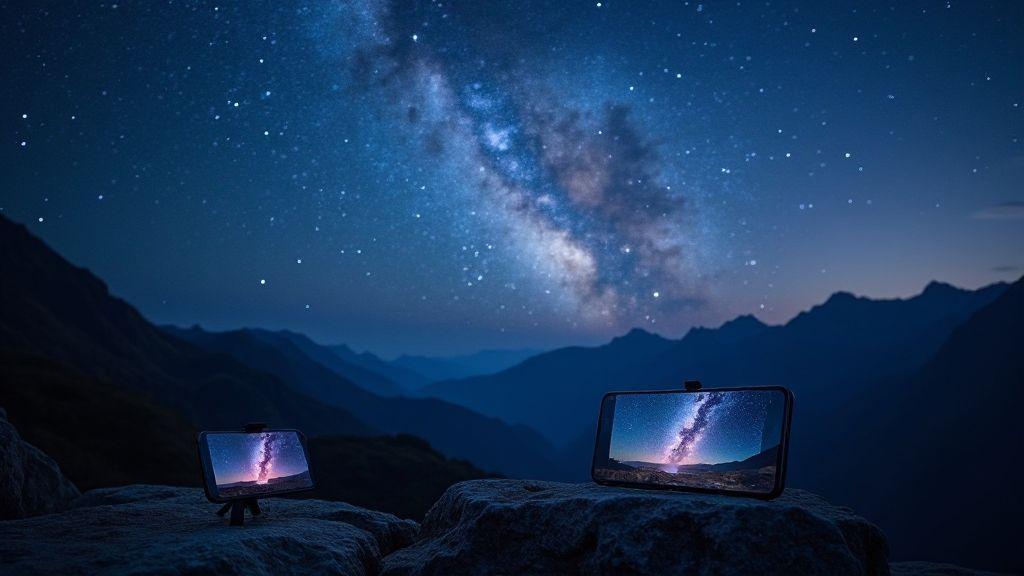
Exposure basics for star photos
You’re aiming to peek into the night sky and pull the stars into sharp view. Light is scarce, so every second counts. Balance exposure by controlling how long light enters, how sensitive the sensor is, and how bright the image looks. Overexposure washes out faint stars; underexposure hides them. A tripod helps keep stars pinpricks sharp, since even a tiny shake can blur long exposures. Start with a safe baseline, then adjust until you reach the balance you want. The sky is a playground of tiny points of light waiting for your attention.
Your sensor behaves like a sponge: more light increases brightness but adds noise. Longer shutters let in more light but invite motion from Earth’s rotation and vibrations. Begin with a moderate shutter, then test longer if you’re rock-steady or using a tripod. ISO adjusts sensitivity; higher ISO brings in stars faster but adds grain. If stars look chunky, lower ISO and lengthen the shutter slightly. The goal is to reveal dim stars while keeping the sky dark enough for crisp points.
Exposure is scene-specific. In dark countryside, use slower shutter speeds and lower ISO to preserve the black sky while pulling out star points. Near city lights, reduce ISO and shorten the shutter to prevent brightness from washing out the stars. Read the histogram: aim for a gentle rise in the middle with a tail toward the bright side. With practice, you’ll know when to push or pull each setting to keep your star photos honest to what you saw.
Shutter speed, ISO, and noise trade-offs
Your shutter speed sets how long light enters. To freeze star points, stay under about 30 seconds; longer can create star trailing. A starting point is 15–20 seconds on a tripod. Shorter speeds yield crisper stars but dimmer results; longer speeds bring more stars but may smear if you’re not still. You’ll trade a bit of brightness for sharp, clean stars.
ISO is your brightness and noise lever. Start low to keep noise down, then raise if stars disappear. High ISO creates grain that can ruin a Milky Way look. The sweet spot varies, but many phones land around ISO 800–3200. Higher ISO requires shorter shutters to avoid clipping highlights. If you see color specks or grain, you’ve pushed ISO too far or used too long a shutter. Use RAW when possible, shoot on a stable tripod, and practice to learn the balance.
Noise isn’t the enemy; it’s a signal to manage. If you see color specks, back off ISO or shorten the exposure. A sensor-cleaning setting, RAW capture, and a solid tripod help. The goal is enough stars with a quiet sky, not a snowstorm of noise.
Best camera settings for stars smartphone
Smartphones aren’t doomed to a gray sky. Use Pro or Manual mode if available. Try 15–20 seconds for the shutter to keep stars sharp, with ISO around 800–1600 (3200 if needed, watch for noise). White balance around 3800–4200K often keeps the sky blue-black. If you have a long-exposure mode, test 20 seconds at ISO 400–800 for crisp stars and quiet sky. Turn off auto night modes that brighten too much; you want control over exposure.
Use a tripod or solid surface to avoid shake, and a timer or remote to prevent touching the phone during exposure. Focus manually on a bright star or distant light, then back off a hair to keep stars pinpoint. Shoot RAW if possible. If the sky looks washed out, drop ISO slightly and lengthen the shutter by a second or two. With practice, you’ll translate numbers into real stars.
Avoid star trails with correct exposure
To keep pinpoints instead of trails, keep exposure short enough to freeze motion. Start around 15 seconds, then test 18–20 seconds if your tripod is rock solid and you’re perfectly still. If you see trails, shorten the shutter or lower ISO to reduce extra light. Star-trail techniques exist for later, but for crisp points stay conservative and steady.
iPhone 17 astrophotography settings
You’re about to elevate night photos with the iPhone 17. In low light, steady exposure and smart modes do the heavy lifting. Your goal: crisp stars, star trails, and Milky Way without fighting the camera.
- Use a sturdy surface or tripod. Tap to focus on a bright star or distant light, then lock exposure to prevent jumps.
- Shoot in RAW when possible for editing flexibility. Keep exposure consistent for cleaner edits later.
- Balance ISO and shutter speed to avoid noise and washed-out stars. Start low, lengthen the shutter as needed.
Night Mode, ProRAW, and low-light boosts
Night Mode helps faint stars and distant galaxies with longer exposures and reduced noise. Keep it enabled, but adjust exposure if the sky is too bright or too dim. ProRAW gives you more dynamic range and color data for flexible edits. Low-light boosts can help recover detail, but use sparingly to avoid a fake look. When Night Mode and ProRAW are combined, you’ll get the cleanest stars and the most control. Do a few test frames to dial in trails versus pinpoint stars.
iPhone 17 manual astrophotography guide
Manual mode offers real control over shutter, ISO, and focus—great when the sky shifts. Start with a longer shutter (10–20 seconds) and keep ISO low to reduce noise. For star trails, plan to stack many short exposures later. Focus manually on a bright star or distant light, then lock, and consider a cooler white balance for natural-looking stars. Frame with a simple foreground to add depth and balance.
Quick iPhone 17 checklist
- Use a tripod or solid surface.
- Enable Night Mode and ProRAW for max detail.
- Set a low ISO and longer shutter for stars.
- Manual focus on a bright star; lock it.
- Frame a simple foreground for depth.
Pixel 10 astrophotography settings
The Pixel 10 can deliver sharp night skies with the right tweaks. Start manual control for exposure, ISO, and focus. A low ISO around 1600 keeps noise down, with a long exposure (15–20 seconds) to capture starlight. Use a small aperture (f/2.8–f/4) and lock focus at infinity. If there’s heavy light pollution, adjust exposure or stack multiple frames later. A tripod is essential for steady frames; you’ll want sharp, repeatable results.
- Enable RAW capture for more detail in post-processing. Turn off auto HDR to avoid conflicting lighting decisions.
- White balance around 3600–4200K provides a natural night sky look; adjust later if needed.
- Use a timer or remote shutter to avoid camera shake. Bright planets or the Moon may require shorter exposure to prevent bloom.
Long exposure Pixel 10 night sky
Long exposures on the Pixel 10 reward a tripod with many frames. Start at 15–20 seconds, then adjust if you see trails. For more light in the foreground, shoot the ground separately and blend later. A small aperture helps keep foreground sharp while collecting starlight. Shoot in RAW and consider a dark frame to subtract hot pixels. If your Night Mode supports longer exposures, test it, but manual control often yields more consistent results. Gusty winds? A heavier tripod or extra stability helps. A routine leads to repeatable, better results.
Pixel 10 astrophotography apps and settings
Use apps that offer full manual control—ISO, shutter, focus, RAW. Stacking apps reduce noise after multiple frames. Start with a single RAW shot, then try stacking as you gain confidence. For long exposures, match manual values: ISO ~1600, shutter 15–20 seconds, focus at infinity. Some apps support minutes-long frames; if you try, use a sturdy tripod and plan the shots to avoid overexposure. Use a timer or app remote to minimize shake.
Pixel 10 quick setup guide
Power on, switch to manual, set ISO 1600, shutter 15–20 seconds, aperture around f/2.8–f/4, and white balance around 3800K. Enable RAW, mount on a tripod, frame the foreground, and use a remote or timer. Take test shots, adjust exposure, and consider stacking later for noise reduction.
Tripod and stability tips for astrophotography
Stability is everything. Choose a sturdy tripod with a solid base and non-slip feet. Phone mounts should hold securely to avoid slips in breeze. Level the frame on a flat surface using the built-in bubble level, then lock everything tightly. Weigh down the legs if needed with small bags or weights to prevent movement. For long sessions, a lightweight stabilizer or a panning head can help frame night scenes without nudging the tripod.
Choosing a tripod and mounts
Prioritize stability over flashy features. Look for a heavy base and a secure phone mount with an easy lock. If you shoot long sessions, a mount that switches between portrait and landscape quickly is handy. Your setup should handle the phone plus accessories without tipping.
Timer, remote, and vibration control
A delay timer or wired/Bluetooth remote keeps your hand off the device during exposure. Vibration control helps on windy nights. For long exposures, a short delay after pressing the shutter reduces camera shake.
Level and secure your phone
Ensure your phone is level to avoid skewed horizons and odd star shapes. If the ground is uneven, adjust the legs and recheck. A level frame keeps your star field correctly framed; once level, lock clamps to prevent slips.
Composing and focusing stars with smartphone
Treat the night as a canvas. Start with a steady base, frame a dark foreground for depth, and use the rule of thirds to place sky and ground intentionally. Keep the foreground simple to anchor the composition while the stars lead the viewer’s eye.
- Exposure: keep the camera still, then use a longer shutter to let stars glow without washing out the foreground.
- Framing: adjust angles to emphasize horizon drama or a sea of stars, avoiding bright foreground lights shining into the sky.
- Foreground: use a small, sharp detail to ground the shot, like a tree silhouette or a rock.
Include foreground and use rule of thirds
Place a strong foreground element on one third of the frame, with the sky occupying the remaining space. A horizon line along a gridline or a star-attractive foreground at a grid intersection helps guide the eye to the stars. Simple foregrounds often yield the most powerful results.
Manual focus, infinity, and focus peaking
Manual focus is essential in low light. Set focus to infinity as a baseline, then fine-tune to keep star points crisp. If your device supports focus peaking, enable it to highlight sharp edges and prevent mushy stars. Test quick focus tweaks and compare shots.
Check focus with live view
Use Live View to zoom in on a star and verify sharpness before capturing a full shot. If you see fuzz, adjust focus and recheck. Live View helps ensure both sky and foreground stay crisp, saving edits later.
Astrophotography Settings for Beginners: Mastering Your iPhone 17 and Pixel 10 for the Stars
You’ll want simple, repeatable settings you can trust. Start with a long exposure, moderate ISO, and a low noise floor. For iPhone 17, use a tripod, enable Night Mode, and set the timer to avoid shake. Try a 10–20 second exposure with ISO around 800–1600 for decent star trails without overwhelming the foreground. For Pixel 10, use Astro mode if available, then set a similar exposure and ISO. You’ll see the sky glow calmer and the stars crisper when you keep the phone steady and let the software blend frames.
Post-processing matters, too. A touch of contrast and clarity helps the stars pop, but avoid overdoing it. Stacked shots yield smoother skies and brighter stars with less noise. Practice with a few different stacks to learn your preferred balance. The right settings on your iPhone 17 or Pixel 10 can turn a beginner night shot into something you’re proud to share.
Edit, stack, and workflow for clearer skies
A simple, repeatable workflow leads to cleaner night skies. Shoot RAW for data, then stack frames to reduce noise and keep colors natural. Keep files organized by date and location to reproduce steps on future trips. Consistent steps beat rushed edits, which can create halos and pulled shadows. Balance white balance and exposure to preserve a natural sky.
Review saved versions side by side: compare stacked results to single frames to gauge improvement. Save a master file with all layers intact for future tweaks, then export a shareable version. A non-destructive workflow lets you re-process as you learn new tricks.
Use RAW, noise reduction, and basic edits
RAW preserves color and detail, giving latitude to recover highlights and shadows. For basic edits, start with gentle white balance and exposure adjustments to keep the sky natural. A touch of contrast helps the Milky Way pop, but avoid extremes. After stacking, apply light noise reduction to smooth long-exposure grain without softening star points. If color noise appears in shadows, reduce it while preserving color. Finish with light sharpening to enhance star points without halos. Save a master edit with all layers intact for non-destructive future tweaks.
Stacking apps and beginner smartphone astrophotography tips
Stacking apps combine multiple frames to reduce noise and reveal faint details. Shoot 20–50 frames on a steady tripod, ideally in RAW if possible. Choose a stacking app with alignment, exposure blending, and easy export. After stacking, a little post-processing to balance sky and foreground helps. Start with minimal edits: slight brightness and contrast, gentle color correction, and light sharpening. Stacking reveals stars invisible in a single frame and builds confidence for longer sessions.
Save high-quality files for editing
When you finish, save high-quality files like TIFF or lossless RAW. Keep stacked outputs separate from the master edits to preserve the original data. This provides a clean baseline for future processing or updated techniques.

Smartphone Night Photography Enthusiast & Founder of IncrivelX
Vinicius Sanches is a passionate smartphone photographer who has spent years proving that you don’t need an expensive camera to capture breathtaking images after dark. Born with a natural curiosity for technology and a deep love for visual storytelling, Vinicius discovered his passion for night photography almost by accident — one evening, standing on a city street, phone in hand, completely mesmerized by the way artificial lights danced across wet pavement.
That moment changed everything.
What started as a personal obsession quickly became a mission. Vinicius realized that millions of people were carrying powerful cameras in their pockets every single day, yet had no idea how to unlock their true potential after the sun went down. Blurry shots, grainy images, and washed-out colors were robbing everyday people of memories and moments that deserved to be captured beautifully.
So he decided to do something about it.
With years of hands-on experience shooting city streets, starry skies, neon-lit alleyways, and creative night portraits — all with nothing but a smartphone — Vinicius built IncrivelX as the resource he wished had existed when he was just starting out. A place with no confusing jargon, no assumptions, and no gatekeeping. Just honest, practical, beginner-friendly guidance that actually gets results.
Vinicius has tested dozens of smartphones from every major brand, explored dark sky locations across multiple states, and spent countless nights experimenting with settings, compositions, and editing techniques so that his readers don’t have to start from scratch. Every article on IncrivelX comes from real experience, real mistakes, and real lessons learned in the field.
When he’s not out shooting at midnight or writing in-depth guides for the IncrivelX community, Vinicius can be found exploring new cities with his phone always within reach, looking for the perfect shot hiding in the shadows.
His philosophy is simple: the best camera is the one you already have — you just need to learn how to use it in the dark.