How to Use Shop Window Light for Stunning Night Street Portraits
Pick the Best Shop Windows
You’ll find that not all shop windows suit night portraits. Look for windows that provide even, bright light across the face, without harsh spots. Seek displays that spread light softly—large, clean panes with even illumination. When you find one, your subject will glow, shadows softened, making the shoot easier and your subject more confident because the light supports, not fights, you.
The right window should also help you control reflections. Glass glare can push your subject behind a wall of reflections. Shift your angle, or choose a pane with a quieter reflection surface. You want light that wraps your subject in a clean, gentle glow. If possible, test at dusk or after dark when interior brightness feels strong but not overpowering. Your portrait will be crisper and more natural, and your confidence will rise.
Finally, consider color and mood. Cool blue tones read differently from warm amber. Pick a window whose light matches the mood you want for the night street scene. The right balance helps your subject pop and keeps the background from stealing focus. With the best window, you’ll shoot more easily and end with portraits that feel true to the moment.
Look for even, bright displays for portraits
Even, bright light is comfortable for your subject. It reduces harsh shadows and keeps skin tones natural, lowering the need for retakes and giving you more time to capture moments. If one corner is dim, a small shift in angle or position can yield big improvements.
Check glass reflections and glare before shooting
Glare can ruin a portrait fast. Do a quick sweep: tilt the head, step back, and look for hot spots where light bounces into the lens. If glare appears, adjust your angle or choose a cleaner pane. Position your subject so the glass reflects the sky or street rather than your camera, turning the window into a soft diffuser. If possible, shoot through the glass with a small lens hood to curb stray reflections.
Scout times with steady light
Time your shoot when light is steady but dramatic. Early evening or just after sunset often yields smooth, even brightness across the window, avoiding flickers and blown highlights. Test a few seconds of shutter speed to see how light shifts; stable window light helps your subject’s expression stay relaxed.
How to Use Shop Window Light for Stunning Night Street Portraits: Quick Start
- Find a window with even, wraparound light and test the reflections at dusk.
- Set your camera to manual exposure to balance window light with the street.
- Start with a wide aperture (around f/2.8 or wider if your lens allows) and a shutter speed near 1/60–1/125 s for a steady frame.
- Meter for the subject’s skin tone and adjust white balance to keep colors natural.
- Keep the window as your main light source, using the street lights as gentle fill if needed.
- Shoot RAW to preserve color flexibility for post.
This approach aligns with the idea of How to Use Shop Window Light for Stunning Night Street Portraits in practice, letting the subject glow without being overwhelmed by the background.
Camera Settings for Night Window Portraits
You’re stepping into the glow of a night window, and the right settings bring a clean, cinematic portrait to life. Think about how window light mingles with the street’s ambient illumination. Aim to keep the subject sharp while the background remains quietly visible, not blown out or muddy. With care, your night window portrait will feel intimate and bright, even in a busy city.
Consider how much window light you want to wrap around the subject. Soft window light yields gentle shadows and natural skin tones. Stronger light requires balanced exposure so the window still reads without overpowering the face. Use the window as the main light and treat the street as a subtle backdrop.
With practice, you’ll discover flattering contrasts and color moments. Stay mindful of how settings affect both subject and environment. When balanced, night window portraits feel intimate and real, like you’re sharing a moment across glass.
Use wide aperture and control shutter speed
- WIDE APERTURE: Lets in more light, keeping the subject bright without pushing ISO too high. Around f/2.8 or wider helps create a shallow depth of field, making the subject pop while the background blooms into color. If the window light is very strong, you can stop down a bit to keep the face evenly lit, but don’t overdo it or the glow will flatten. The goal is natural eyes and soft shading.
- CONTROL SHUTTER SPEED: Freeze motion and keep the window glow smooth. In street scenes, start around 1/60 to 1/125 s when the subject isn’t moving fast. If the subject is still, 1/125 to 1/200 s reduces tiny hand tremble blur. If lighting flickers (neon, passing cars), choose a tempo that avoids flicker. Shorter speeds keep the scene crisp; longer speeds add motion and mood but risk blur.
Raise ISO carefully to limit noise in RAW files
- RAISE ISO: Keeps shutter speed comfortable without sacrificing brightness but increases noise. With many sensors, ISO 800–3200 in RAW is a workable range. Start baseline, then raise if window light is insufficient. RAW helps reclaim shadow detail so you won’t lose skin texture or window glow.
- LIMIT NOISE: Shoot RAW and apply gentle noise reduction as needed. If your camera handles high ISO well, push it but keep exposure sensible. A technique is to shoot two frames: slightly brighter on the subject, slightly darker on the background for post blending.
Use manual exposure and test shots
- MANUAL EXPOSURE: You control both window light and street background. Set aperture first, pick an ISO that preserves the window glow, then dial shutter speed to balance.
- TEST SHOTS: Take quick frames at varying exposures to see how light lands on subject and scene. Check the histogram for a midtone peak with a tail toward highlights. If the window’s white area clips, adjust aperture or ISO. Small tweaks now save time later and help nail the How to Use Shop Window Light for Stunning Night Street Portraits vibe in practice.
Control Color with White Balance
White balance shapes mood. Night scenes glow with cool blues or warm street yellows, making the work feel deliberate. Start by assessing the ambient light—neon, street lamps, and car headlights color the frame. If you fix WB, colors can shift across frames, breaking consistency. Lock a WB that matches the dominant light so skin tones stay natural and blues stay true.
Think of white balance as a flavor dial for color. If your city glows warm, a warmer WB helps oranges feel inviting. If it’s cool, a cooler WB preserves a night-sky feel. Consistency across similar shots helps the night series read as a single story, not a collage of colors. Read histograms and color casts in the LCD preview; small WB tweaks can change mood and clarity.
Set white balance or use Kelvin for LEDs
LEDs come in many temperatures, so precision matters. Start around 3500K for warm neighborhoods or 4000–4200K for a balanced, modern look. If unsure, shoot quick frames at multiple Kelvin values and compare in playback. You can dial in the Kelvin value to match a known light source for consistent edges and colors.
Shooting RAW supports color corrections later. If a frame trends green or magenta, you can adjust in post while preserving exposure. RAW also lets you standardize color across a set box, saving time and keeping the series cohesive.
Shoot RAW to correct color in post
RAW preserves all color information, letting you tweak white balance after the fact without losing detail. If a frame leans green or magenta, fix it in post while maintaining exposure. RAW provides latitude to correct color without sacrificing skin tones or window glow.
Post-processing lets you standardize color across a set. Batch-adjust white balance for frames sharing lighting, saving time and keeping the series cohesive. Start with a neutral baseline and adjust only what’s needed to keep colors honest.
Use a gray card or custom white balance
A gray card gives a quick baseline for honest color. Hold it in a frame and set a custom white balance from that reference. It’s especially helpful in mixed-light environments—neon signs, street lamps, and headlights compete for color truth. If you don’t have a gray card, use a neutral gray object to create a custom white balance. It’s not as clean, but it keeps colors anchored when you’re in a pinch.
Pose and Compose for Window Light
Window light can yield soft, flattering tones when you lean into its properties. Position your subject so the window’s glow wraps the face, not the back. Place the glass to one side so shadows fall gently. Keep ISO low and aperture wide to maintain crisp subject and softly blurred background. Avoid glare by keeping distance from the glass and angling the camera slightly downward for a natural look. Let expression—smile, glare, or curiosity—drive the moment, while the window light does most of the work. If you see color casts, adjust white balance or add a subtle reflector to balance warmth.
Distance and angle shift the mood: move closer for wraparound light, or back off for a crisper, more directional glow. Aim eyes toward the brightest spot in the frame, often the window or a street light beyond. Tiny position tweaks alter mood from gentle to dramatic.
Place your subject close to the glass for soft light
Close to the glass, the window’s soft light wraps the face, minimizing strong shadows. Use blinds or a slightly opened pane to shape highlights and keep eyes bright. Keep the lens at eye level for a natural perspective that feels intimate.
Use leading lines and simple backgrounds for clarity
Leading lines from the window frame or sill guide the viewer’s eye to the subject. Pair with a clean background to keep focus on the face. In busy streets, crop tightly to emphasize expression and the window’s glow. Minimal clutter helps the subject pop.
Aim the eyes toward the brightest spot
Direct the subject’s gaze toward the brightest area in the frame—the window or the light bleed behind glass. This brings life to the eyes and prevents a flat look. If the brightest spot is behind you, adjust angle or have the subject turn slightly so light reads.
Using Window Display Light for Portraits
Window display light creates a soft, urban glow that can work in wide shots and close-ups. Position yourself so the window’s glow frames the subject and makes eyes sparkle without washing features. Temperature matters: a warm storefront glow reads inviting; a cooler glass creates a moonlit, dramatic mood. Balance exposure so the skin remains accurate, keeping window glow soft but distinct. If the street behind is busy, back off to avoid glare.
If the subject isn’t centered, use a reflector to lift shadows without stealing the mood from the shop. The window light becomes a partner, guiding highlights and shadows to shape a natural, cinematic look.
Creative Techniques for Shop Window Portrait Lighting
Shop window light can be a powerful creative tool. Use the window as a key light, letting the glass bounce a flattering tone onto the face. If the street is busy, angle to catch both the window’s reflection and the neon outside for a layered look without extra gear. The trick is balancing exposure: brighter window, softer skin, and a city glow in the background.
Use gels or colored lights to change mood
Gels on your light source shift mood instantly. Amber or warm pink creates a cozy vibe; blue or teal gives a cooler, edgier feel. Harmonize the window’s color with the gel so skin tones stay natural. A subtle tint often reads more professional than a bold cast. For example, a warm gel on the key light with the window as fill can place the portrait between inside glow and street color.
Try foreground bokeh and reflections for depth
Foreground bokeh adds depth and draws attention to the subject. Include out-of-focus lights or reflections between you and the model to create soft light circles. Reflections in glass can offer a layered look; shoot slightly off-axis to capture both the face and reflections. Keep the background clean to avoid distraction. If you’re feeling playful, move the subject slowly to let the bokeh drift around them for a cinematic touch.
Layer light sources to craft a unique look
Layer light by combining the window’s glow with a small warm fill and a cool street kicker. Place the window on one side, use a warm key on the other, and let the street light skim the hair for a rim. This three-dimensional lighting adds depth and atmosphere. Try different angles to see how each layer changes mood, discovering that sometimes less is more.
Editing Tips for Night Shop Window Portraits
When editing, aim for natural yet polished results. Balance the window glow with skin tones and the street’s ambience. Start with a 1:1 RAW view to see how window light shapes the face. The glow often creates bright highlights and cool shadows; keep skin texture intact and avoid waxy looks. Small adjustments can make a big difference.
If the window light is too cool, nudge white balance warmer, but avoid orange skin. Boost contrast slightly to deepen the darks and separate the face from the background. Edits should feel credible, not overprocessed. The right balance highlights expression, not a fake glow.
Compare before and after on small and large screens. If you edit a series, save a RAW-friendly preset for consistency. Cohesion across frames saves time and keeps your night shop window portraits recognizable as yours.
Reduce noise and preserve skin detail in RAW
Night shots bring noise; start with light noise reduction on the background, then protect skin detail. Use a small radius and moderate luminance reduction to avoid plasticky skin. Sharpen eyes and lips subtly, masking skin to keep texture. Higher ISO may require more careful work to avoid halos around hair and edges. The goal is clarity without harshness.
Adjust exposure and color while keeping natural tones
Exposure tweaks should protect skin tones while preserving window glow. A slight shadow lift can reveal eye detail; avoid overdoing it so expressions stay intact. Use color adjustments (HSL) to refine reds for lips, oranges for skin, and blues for glass reflections, maintaining overall harmony. If the window casts a color cast, target only those areas and leave skin unchanged. The result should feel real, not edited to perfection.
Use local adjustments for eyes and highlights
Local adjustments let you fine-tune without altering the whole image. Lightly dodge eye highlights to add life, keeping whites clean but not blown out. Brighten catchlights subtly to avoid plastic eyes. Apply gentle edits to highlights on skin where window light hits, softening glare while preserving mood. Focus on uneven light areas like the cheekbone or nose bridge. Small, precise tweaks keep texture and realism intact. You can also cool or warm a highlight locally to match surrounding tones.
Handheld Shooting in Low Light Shop Windows
Handheld shooting turns dim street scenes into sharp, dramatic portraits. Stabilize your stance, breathing, and lens IS to prevent blur from car lights and reflections. Lock your elbows, tuck them in, and exhale slowly as you press the shutter. If your lens has IS, keep it on to ride out minor shakes. A fast lens is a simple upgrade that yields brighter, cleaner images quickly. An aperture like f/1.8–f/2.8 lets in more light, letting you shoot at shorter shutter speeds while keeping ISO reasonable. If you already own a fast lens, you’ll notice you can maintain higher shutter speeds and crisper images. If you don’t, renting or borrowing a fast lens for a night shoot can be worthwhile.
When out there, start with a shutter around 1/60 s and an open aperture, adjusting to the scene. For busy scenes or moments you want to freeze, move to 1/125 s or faster. If you want motion blur, go slower but be mindful of your own movement. The balance keeps the subject sharp while the ambient lights create atmosphere.
Stabilize with stance, breathing, and lens IS
Your stance is the first shield against shake. Plant feet shoulder-width apart, one foot slightly forward for balance, and keep knees relaxed. Think like a tripod: solid from the hips up, elbows tucked. Exhale, then press the shutter as you breathe in. If using a lens with IS, let it do its work—avoid moving or zooming during the shot. A steady, deliberate movement yields crisper results.
Breathing matters. A calm breath before shutter reduces tiny tremors. Bracing against a window or door frame can help stability. The less you touch the camera mid-shot, the crisper the image. In busy streets, lean on a light wall or sturdy door for extra support and stay relaxed to ride through gusts or crowds.
Choose faster lenses to allow usable shutter speeds
A fast lens broadens your low-light options. An aperture at f/2.8 or wider keeps the shutter speed up while preserving natural depth of field. For moving subjects, a fast lens helps freeze action without pushing ISO too high. On a budget, prime lenses with wide apertures are often sharper and lighter than zooms, letting you move quickly and stay steady.
For sequences, a fast lens maintains consistency across frames, reducing noise and preserving color for easier editing. A fast lens makes night street portraits feel natural and deliberate, not rushed or grainy.
Night Street Portrait Lighting at Shopfronts
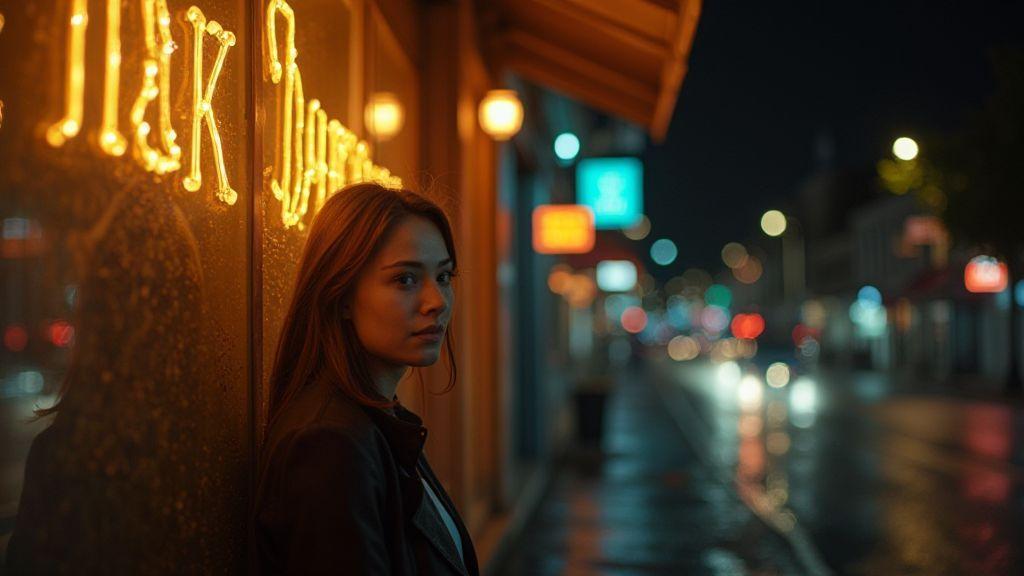
Shopfronts provide a built-in stage for night portraits. Let the glow fall softly on the subject’s face and test exposure quickly: meter for the subject first, then adjust distance to get the right exposure. Don’t chase the brightest light; aim for the most flattering one.
Balance is key: don’t let window light overpower the street. If the window looks brighter than the subject, the face can wash out; if the street light dominates, the subject may be silhouetted. Test exposure for skin tone first, then adjust as needed. Lens choice matters too: a longer lens compresses the scene, while a wider lens adds ambiance but may cast uneven light on the face. Keep shutter steady and ISO low to avoid deep-shadow noise. The right balance makes the subject present without making the storefront distracting.
Meter for your subject, not the whole scene
Meter for the skin tone to keep the face properly lit even if storefront colors skew. If you meter the whole scene, you’ll bias exposure toward the bright window and the face may go dull. Pre-set your camera to a skin-tone target, then tweak exposure compensation. If the subject isn’t centered with the window, bounce light with a reflector or use fill subtly to lift shadows while preserving night mood. The best meter reads keep the subject looking like themselves, not a ghost behind glass.
Add subtle fill with flash or reflectors when needed
Fill can smooth shadows without washing out the scene. A compact flash at low power, off to the side and slightly above eye level, can highlight cheekbones. A white reflector on the opposite side of the storefront glow also helps. If you only have a phone light or small LED, use it sparingly; warm the color temperature toward the shop’s glow and keep intensity gentle. The goal is to lift shadows enough to reveal expression while preserving the night’s atmosphere.
Balance window and street light for natural tone
Aim for a cohesive scene where subject and storefront feel part of the same story. Adjust angles so window light softly wraps the face while street glow adds texture to hair or shoulders. If the window is overpowering, step back or angle to reduce its impact. If the street light dominates, tilt toward the window to capture its warmth. Test with a quick shot, read the histogram, and adjust. Practice helps you quickly judge the right mix for any storefront.
Creative Techniques for Shop Window Portrait Lighting
You’ll find shop window light can be your best friend at night, offering color, mood, and a soft edge that adds character. Treat the window as your main light and use the glow to frame the subject’s eyes. If the street is busy, angle to catch both the window’s reflection and the neon outside for a layered效果 look without extra gear. The aim is a balanced exposure: brighter window, smoother skin, and a city glow in the background.
Use gels or colored lights to change mood
Gels shift mood in an instant. Amber or warm pink creates a welcoming vibe; cooler blues or teals add edge. Keep the gel subtle and ensure skin tones stay natural while color accents the scene. A practical setup: warm gel on the key light with the window providing fill to place the portrait between the storefront glow and the street’s color.
Try foreground bokeh and reflections for depth
Foreground bokeh adds depth and draws attention to the subject. Include out-of-focus lights or reflections between you and the model to form soft light circles. Reflections can offer layered composition; shoot slightly off-axis to capture both face and reflections. Keep the background clean to prevent distraction. If desired, have the subject move slowly to let the bokeh swirl around them for a cinematic feel.
Layer light sources to craft a unique look
Layering light combines the window’s glow with a warm fill and a cool street kicker at measured distances. Use the window on one side, a warm key on the other, and let the street light skim the hair for a rim. This creates a three-dimensional portrait that feels alive. Try different angles to see how each layer shifts mood. Often, less is more.
Editing Tips for Night Shop Window Portraits
In post, keep edits natural and cohesive. View RAW at 1:1 to see how the window light falls on the face. The glow can create bright highlights and cool shadows; maintain skin texture and avoid waxy results. Small edits can have a big impact.
Tension between window glow and ambient color can show up in WB. If the window reads too cool, warm it slightly, avoiding orange skin. Boost contrast slightly to deepen darks for separation. Edits should be believable, not theatrical. Consistency across a series makes the work feel like one story, not a collection of mismatched looks.
Compare before and after on different screens, and save RAW-friendly presets for future shoots. Consistency speeds editing and strengthens recognition of your style.
Reduce noise and preserve skin detail in RAW
Night shots bring noise. Begin with light background NR, then protect facial details. Use a small radius and moderate luminance NR to keep pores and texture. Avoid overdoing it, which can make skin look plastic. Sharpen eyes and lips sparingly, with aggressive masking to protect skin. If you shot at higher ISO, you may need more careful NR.
Adjust exposure and color while keeping natural tones
Exposure tweaks should keep the subject properly lit without washing the window glow. A slight shadow lift reveals eye detail but stay controlled. Use the HSL panel to adjust reds, oranges, and blues for natural harmony. If the window casts color, target only those areas and leave skin tones alone. The result should feel true to life, not overly edited.
Use local adjustments for eyes and highlights
Local adjustments let you fine-tune without changing the whole image. Dodge eye highlights to add life, keeping whites clean but not blown. Subtly brighten catchlights without turning eyes into plastic beads. Lightly adjust highlights on skin where window light hits, softening glare while preserving mood. Focus on uneven light areas like cheekbones and the bridge of the nose. Small tweaks keep texture and realism. You can also apply a tiny local correction to warm or cool a highlight if needed. The aim is a cinematic glow that remains natural.

Smartphone Night Photography Enthusiast & Founder of IncrivelX
Vinicius Sanches is a passionate smartphone photographer who has spent years proving that you don’t need an expensive camera to capture breathtaking images after dark. Born with a natural curiosity for technology and a deep love for visual storytelling, Vinicius discovered his passion for night photography almost by accident — one evening, standing on a city street, phone in hand, completely mesmerized by the way artificial lights danced across wet pavement.
That moment changed everything.
What started as a personal obsession quickly became a mission. Vinicius realized that millions of people were carrying powerful cameras in their pockets every single day, yet had no idea how to unlock their true potential after the sun went down. Blurry shots, grainy images, and washed-out colors were robbing everyday people of memories and moments that deserved to be captured beautifully.
So he decided to do something about it.
With years of hands-on experience shooting city streets, starry skies, neon-lit alleyways, and creative night portraits — all with nothing but a smartphone — Vinicius built IncrivelX as the resource he wished had existed when he was just starting out. A place with no confusing jargon, no assumptions, and no gatekeeping. Just honest, practical, beginner-friendly guidance that actually gets results.
Vinicius has tested dozens of smartphones from every major brand, explored dark sky locations across multiple states, and spent countless nights experimenting with settings, compositions, and editing techniques so that his readers don’t have to start from scratch. Every article on IncrivelX comes from real experience, real mistakes, and real lessons learned in the field.
When he’s not out shooting at midnight or writing in-depth guides for the IncrivelX community, Vinicius can be found exploring new cities with his phone always within reach, looking for the perfect shot hiding in the shadows.
His philosophy is simple: the best camera is the one you already have — you just need to learn how to use it in the dark.