Generative AI in Night Mode: How Artificial Intelligence Improves Your Night Photos
Generative AI in Night Mode: How Artificial Intelligence Improves Your Night Photos
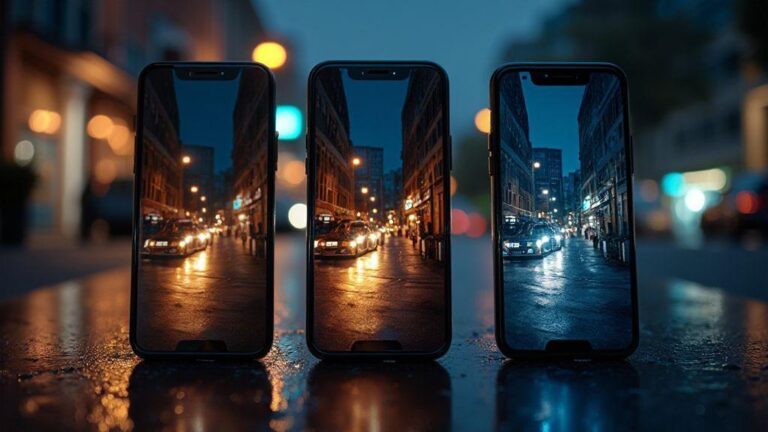
This guide explains how night-mode AI sharpens images, reduces noise, and preserves natural texture—making night shots cleaner without looking processed. It covers how exposure stacking, neural networks, and GAN-based restoration work together to deliver brighter, more true-to-life photos.
How Generative AI Night Mode Reduces Noise for You
Night photography often results in grainy images. Generative AI Night Mode smooths noise without erasing crucial details, yielding cleaner skies, crisper edges, and colors that stay true to what you saw. It does the heavy lifting so your phone turns a dark scene into something you’d actually post.
Behind the scenes, AI models learn patterns from countless night shots, understanding how noise appears under different lighting and how edges can be hidden. When you shoot, the system compares your photo to those learned patterns and fills in missing pieces plausibly, producing a final image that feels sharper and more natural, not glossy or over-processed.
In practice, you’ll see fewer speckles across shadows and skies. Night portraits look lit with a soft, real light—photos stay true to what you saw, just clearer and brighter.
Neural Network Night Enhancement Basics
Neural networks analyze your night photo in layers, searching for edges, color blocks, and texture. You get a smarter balance between noise reduction and detail preservation, so tiny lines on a building or a spark in a friend’s eye aren’t lost.
The process starts with a rough guess of the clean image, then the network refines it against similar scenes. It’s like a patient, miniature artist nudging the photo toward reality.
Improvements show up most in tricky areas—dark corners or mixed lighting—where noise hides details. The network predicts what those areas should look like without noise, so the result feels right.
Night Photo Denoising AI Techniques
Techniques include noise profile matching—AI learns the camera sensor’s noise at a given ISO and shutter speed and subtracts it while preserving edges. Deep learning restoration uses large training sets to guess missing details after noise removal, preserving color consistency and texture so colors don’t wash out.
Edge-aware denoising keeps lines clean without oversmoothing contours. Temporal denoising uses information from multiple frames to stabilize the image without blurring motion.
Across real use, these techniques reduce grain, brighten where needed, and keep the subject natural. You don’t need to be a pro—the phone does the heavy lifting.
Why Denoising Improves Clarity
Denoising removes random specks that cloud detail. When specks disappear, edges stay sharp and textures pop. The scene becomes easier to read at a glance, making your photos feel honest and engaging.
How Exposure Stacking AI Brightens Your Night Shots
Exposure stacking AI stitches together several frames captured at slightly different exposures to deliver a brighter, cleaner final image. You gain more detail in shadows and highlights without the grain of a single low-light shot. It’s like using a brighter lens without changing your hardware.
The AI picks the best parts of each frame, blends data from multiple shots, and stabilizes alignment to reduce motion blur if you’re hand-holding. It also corrects color drift that can happen when boosting brightness in dark scenes. The result is better texture, less noise, and more accurate colors—think visible brick lines, starry highlights in windows, and glow from distant lamps without grain smear.
Practically, you don’t need long exposures or tricky manual modes—the phone handles the math for you, delivering a brighter, crisper night photo with a natural look. In busy scenes, this method preserves movement and detail where it matters.
Exposure Stacking AI for Night Photos Explained
Exposure stacking AI takes several frames in quick succession with slight exposure variations. It analyzes each frame’s strengths—where it’s bright, dark, and where detail lives—and blends them into one composite. You get a single shot carrying more light information than any frame alone.
Behind the scenes, the AI aligns frames and reduces motion blur if you’re hand-holding. It also corrects color drift from pushing brightness. The result is better texture, less noise, and more accurate colors—fine lines on bricks, star-like highlights in windows, and lamp glow without grain.
For you, the practical upshot is simplicity: no fiddling with long exposures or manual modes. The phone produces a brighter, crisper night photo with a natural look, even in busy scenes.
Real-Time Night Mode AI vs Manual Stacking
Real-time night mode AI mimics long exposure by combining shots as you shoot, delivering a bright result instantly. It’s fast, simple, and great for everyday scenes.
Manual stacking gives you control over how many frames you capture and how you blend them. It’s more hands-on but lets you tailor brightness and noise to your taste, especially for looks like brighter stars or crisper brickwork. Both approaches benefit from AI’s ability to reduce noise and recover detail, just with different effort levels.
How Computational Photography Night Mode Works on Your Phone
When you frame a dark scene and press capture, computational photography uses math, sensors, and smart guesses to turn the dim scene into something visible. You’ll notice brighter foregrounds, clearer details, and colors that feel natural.
Your phone combines several ideas at once: it takes multiple frames quickly, then blends them to reduce noise and increase light. It also compensates for motion so you can move a bit without blur. The result is a photo that looks like it was shot with better lighting, even if the room stayed dark.
Behind the scenes, the phone decides what to enhance and what to leave alone. It preserves highlights (like a bright sign) while lifting shadows, boosts color naturally, and uses processing-safe methods to stay fast.
Sensor Data Meets AI Processing
Camera sensors collect raw, noisy data. The AI cleans it up by predicting what the scene would look like with better light. The AI looks for patterns across pixels and frames, recognizes common night shapes, and sharpens edges without overshooting. It also tracks motion to prevent smear, resulting in a smoother photo with real detail.
Think of it as a chef sampling a recipe and adjusting seasoning: the sensor provides ingredients (color, brightness, contrast), and the AI adjusts them for the final dish in low light.
Steps in AI Night Photography Enhancement
1) Align frames for stacking. 2) Reduce noise by averaging across frames smartly. 3) Restore details like brick texture without looking fake. 4) Balance color and exposure, brightening shadows and controlling highlights. 5) Tone-map for a cohesive look so the photo feels natural, not stitched.
What Your Phone Does After You Press Capture
After capturing, the phone runs a burst sequence, aligns frames, reduces noise, and refines edges and color with AI. If something moves, the AI keeps it sharp. It also saves a true-to-life version for easy comparison. The result is a seamless process that yields a great photo without fiddling with settings.
How GAN for Low-Light Photos Restores Color and Detail
GANs (Generative Adversarial Networks) learn from many night images and predict what a well-lit version should look like. You get brighter colors and sharper edges instead of dull gradients. Sunset reds and sky blues reappear naturally, as if the scene were lit better.
When you shoot in low light, GAN-based restoration compares the scene to learned examples and corrects accordingly. The result: less noise, more detail, and color that feels right rather than smeared or washed out. It’s like a smart remix—capture a rough draft, then GAN restoration adds the finish so the photo looks like it was taken in better light.
GAN-based restoration also helps keep the look consistent across shots. Colors and textures feel cohesive because the model learned how light, color, and contrast relate in real-world scenes. It’s not cheating—it’s a smarter way to translate what your eye sees into a photo your phone can deliver back to you.
GAN for Low-Light Photos in Plain Terms
Two little brains work together: one creates a guess of the final image, and the other checks that guess against real night photos and offers feedback. This push-and-pull helps remove grain, restore color, and keep edges sharp. The result is a cleaner picture with natural texture, even with a bit of camera shake.
The result feels natural, not overprocessed. GANs avoid faking things that aren’t there, so skies stay blue and trees don’t glow oddly. You’ll notice more faithful textures—brick, fabric threads—without that too crisp look. Generative AI in Night Mode: How Artificial Intelligence Improves Your Night Photos becomes more than a buzzphrase; it’s how your phone turns a dark scene into something you’d show.
Low-Light Image Enhancement AI Examples
Real-world results appear in apps pairing your camera with AI helpers. You’ll see brighter street lamps with realistic color, faces that stay natural, and mood-preserving details in menus and wood grain. Look for skies that aren’t flat blobs and shadows with texture.
Why GANs Add Realistic Texture
GANs learn texture cues—grain in wood, speckle in concrete, fabric weave—that mimic real-life irregularities. They don’t just sharpen; they recreate natural irregularities so photos don’t look plastic. Expect preserved pores, fabric texture, and natural foliage, keeping night photos grounded in reality.
How Portrait Night Mode AI Keeps Your Subjects Natural
Portrait night mode AI separates you from the background, keeping facial details intact. It detects edges, skin tones, and features to avoid a carved look. The goal is balanced lighting and subtle background blur that preserves texture, so your face remains real and recognizable even in low light.
Edge detection sharpens outlines around features while softening the rest to prevent halos. It avoids an artificial cut-out look in hair or glasses, keeping boundaries clean without harsh contrast. In practice, you get natural shadows and depth that enhance rather than flatten your features.
Portrait Night Mode AI and Edge Detection
Edge detection keeps your outline sharp while the background softens. It sharpens critical lines around jaw, nose, and cheeks, with a gentler touch elsewhere to avoid halo effects. This helps your features stay defined and natural, not overprocessed.
Real-time adjustments ensure the lighting remains believable as you move, keeping eyes bright and skin tone true.
Balancing Face Lighting and Background Blur
The trick is to light the face without washing out the scene. Generative decisions adjust brightness on the skin while keeping the background mood. The blur is tuned to separate you from distractors without erasing facial texture. This creates a seamless transition where hair edges blend into the bokeh, not with harsh lines.
If you move between lighting zones, the system adapts, maintaining even lighting on the face and consistent background blur across frames.
Avoiding Over-Smoothing Faces
Over-smoothing can erase expression and texture. The AI aims for realism by preserving pores, skin texture, and tiny lines, avoiding a plasticky look. When you see natural imperfections, that’s the algorithm doing its job. You can dial back intensity for a more true-to-life style.
How Real-Time Night Mode AI Changes Your Shooting Experience
Real-time AI makes night shooting quicker and smarter. It tunes settings in the background so light, color, and sharpness are ready as soon as you frame. You’ll see fewer guesses and more confidence, with results that resemble what you saw rather than what the sensor captured.
As you frame, real-time AI analyzes people, cars, and buildings, adjusting exposure, contrast, and color balance on the fly. You get a more natural balance between bright and dark areas, with less blown-out highlights and better shadow detail. It also helps keep motion crisp by predicting movement and adjusting shutter speed to prevent ghosting.
Real-Time Night Mode AI Latency and Benefits
Latency is minimal—the AI runs in the background, giving near-instant previews. You get more consistent results and easier composition, especially in textures like brick, fabric, or tree bark where you’d usually lose detail.
Auto-Adjust While You Frame
Auto-adjust makes tiny, rapid exposure and white-balance tweaks as you frame. You’ll notice a slight glow of improvement without dramatic shifts, helping you keep the scene honest. If you move, the balance stays stable, maintaining a natural look.
Faster Previews Help Composition
Snappier previews let you try angles quickly, with immediate feedback on how light falls on faces and textures. This speeds up your creative process and reduces guesswork.
How Low-Light Image Enhancement AI Affects Battery and Speed
Turning on night mode uses AI to brighten shadows and reduce noise, which increases processing time and heat. You may notice slower burst rates and higher battery drain during extended shoots. GPUs handle the heavy lifting, so longer sessions can impact stamina.
Look for efficiency features like dedicated image signal processors or optimized AI cores to keep night photography powerful without draining speed or battery. The trade-off is clear: more AI power costs more battery and speed.
Tips to Save Battery While Using AI Night Mode
- Shoot in shorter bursts and pause to let the processor cool.
- Use lower AI intensity when maximum clarity isn’t needed.
- Disable nonessential features (like simultaneous video stabilization with night processing).
- Use a power-saving profile if available, and carry a charger for longer shoots.
Trade-Offs Between Quality and Power
Higher AI refinement yields better detail, but uses more battery and reduces speed. For quick captures, accept a lighter AI pass. For deliberate shots, opt for richer processing.
How to Pick Apps with the Best AI Night Photography Enhancement
Choosing an app isn’t about chasing flashy features. Look for tools that improve detail, color, and low-light clarity without adding noise. Check for real-world before/after examples, control over noise reduction strength, sharpening, and color saturation, and the ability to compare edits non-destructively. Indoors and outdoors in low light should both be reliably supported.
What to Look for in Generative AI Night Mode Features
Generative AI night mode features should feel like a smart helper, adapting to different light sources while preserving natural textures. Avoid zero-noise claims that imply over-smoothing. The AI should respect color cues and offer scene-aware adjustments, with controls for strength, texture, and contrast. A side-by-side comparison and saved presets help reproduce a consistent look.
Comparing Built-In vs Third-Party Tools
Built-in night modes are convenient and fast, integrated into the camera stack for quick processing. They may offer less customization and slower updates, but are reliable and easy to use.
Third-party tools provide more aggressive enhancements and greater control, but may require subscriptions and separate updates. They’re great for tinkering and achieving specific looks, with non-destructive edits so you can revert if needed. Check compatibility with your device and workflow, and test processing times to ensure a smooth experience.
Check for Model Updates and Support
AI night features improve with updates. Look for release notes detailing what’s improved and why it matters, and ensure there’s solid support if issues arise. Regular updates keep tools aligned with new devices and evolving lighting scenarios.
How You Can Shoot Better Night Photos with Simple AI Tips
Generative AI in Night Mode: How Artificial Intelligence Improves Your Night Photos guides the camera to pick details you might miss, balancing light and shadow, reducing noise, and preventing blur. Start with a base exposure suggested by AI, then tweak as needed. The AI handles heavy lifting, while you focus on composition.
As you shoot, observe how AI merges frames for smoother skin tones and clearer text. Outdoors, the AI often preserves sky detail without washing out stars or neon signs. Practice with familiar scenes to learn what the AI adds versus what you still adjust manually.
When you share, AI enhancements help friends notice more detail in shadows and less noise in darker areas. A quick crop or contrast tweak can keep the image feeling real. Remember, AI is a helper, not a magician—the eye for composition and timing still matters.
Simple Camera Settings That Help AI Perform
Clean data helps AI perform better. Set exposure and ISO to reasonable levels; use a tripod for longer exposures when possible. If available, enable night/low-light mode so the AI can stack frames and reduce artifacts, often yielding brighter images with closer-to-real colors.
Balance white with the scene, not what you want to fake. Use HDR or AI-assisted tone mapping to prevent blown highlights while preserving shadows. If possible, lock focus or exposure briefly while framing, then reframe to keep the AI from chasing a moving highlight.
When to Use Tripod, Flash, or Manual Mode
A tripod is ideal for steady night shots—let the AI blend light over a few seconds. If handholding, rely on AI-assisted stabilization and a faster shutter. A small fill flash can help faces without flattening the scene; use sparingly. Manual mode works well for tricky lighting, allowing longer shutters and later AI blends.
In crowded or moving scenes, a tripod may be impractical; AI gains help keep motion blur down and details intact. For still subjects, a tripod and manual exposure let you test a few looks while AI manages noise.
Small Changes Make Big Night Results
Tiny tweaks in exposure, white balance, and stabilization can have outsized effects when AI is involved. Stand slightly farther from the subject to give the AI more data, and let it fill in details rather than cranking brightness. A longer shutter on a stable surface lets the AI merge frames to keep motion soft. Expect crisper edges around lights and less color smearing in shadows.
Generative AI in Night Mode: How Artificial Intelligence Improves Your Night Photos helps you understand the balance between speed, quality, and battery life. With thoughtful use of features, you can capture vivid, natural-looking night images that tell your story with less noise and more detail.

Smartphone Night Photography Enthusiast & Founder of IncrivelX
Vinicius Sanches is a passionate smartphone photographer who has spent years proving that you don’t need an expensive camera to capture breathtaking images after dark. Born with a natural curiosity for technology and a deep love for visual storytelling, Vinicius discovered his passion for night photography almost by accident — one evening, standing on a city street, phone in hand, completely mesmerized by the way artificial lights danced across wet pavement.
That moment changed everything.
What started as a personal obsession quickly became a mission. Vinicius realized that millions of people were carrying powerful cameras in their pockets every single day, yet had no idea how to unlock their true potential after the sun went down. Blurry shots, grainy images, and washed-out colors were robbing everyday people of memories and moments that deserved to be captured beautifully.
So he decided to do something about it.
With years of hands-on experience shooting city streets, starry skies, neon-lit alleyways, and creative night portraits — all with nothing but a smartphone — Vinicius built IncrivelX as the resource he wished had existed when he was just starting out. A place with no confusing jargon, no assumptions, and no gatekeeping. Just honest, practical, beginner-friendly guidance that actually gets results.
Vinicius has tested dozens of smartphones from every major brand, explored dark sky locations across multiple states, and spent countless nights experimenting with settings, compositions, and editing techniques so that his readers don’t have to start from scratch. Every article on IncrivelX comes from real experience, real mistakes, and real lessons learned in the field.
When he’s not out shooting at midnight or writing in-depth guides for the IncrivelX community, Vinicius can be found exploring new cities with his phone always within reach, looking for the perfect shot hiding in the shadows.
His philosophy is simple: the best camera is the one you already have — you just need to learn how to use it in the dark.