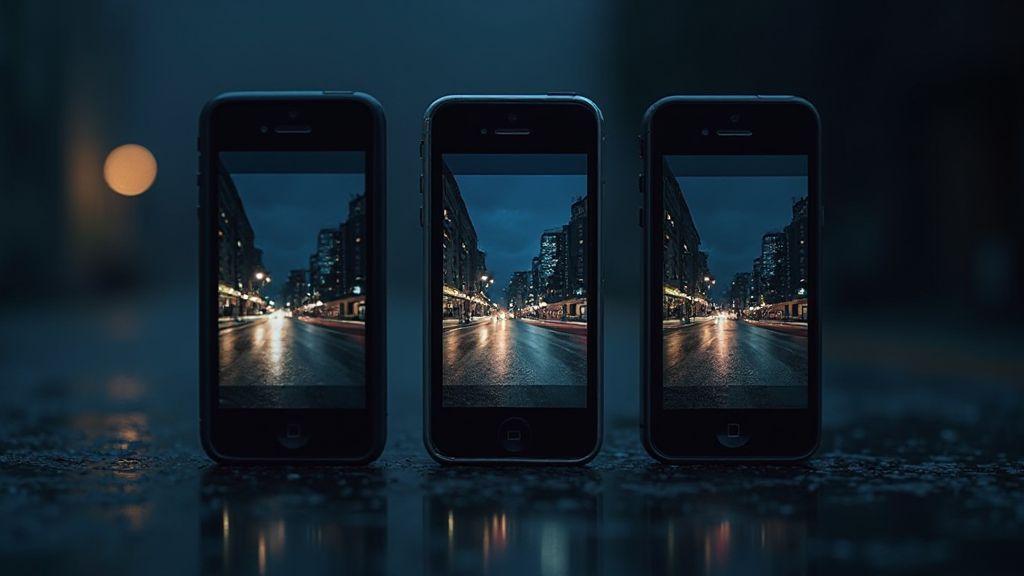
Exposure Time & Night Mode: Comparing Capture Speeds and Results on Leading Phones for Sharpness
Exposure Time & Night Mode: Comparing Capture Speeds and Results on Leading Phones for Sharpness
Night photography hinges on how long your sensor collects light and how your phone processes that light. This guide blends practical tips with a look at how exposure time and night mode influence sharpness across leading phones, helping you get crisper images in low light.
How Your Exposure Time Affects Sharpness
Exposure time is the duration the sensor collects light. In low light, longer exposure increases brightness but also raises the risk of blur from movement. If you’re steady, longer exposures reveal detail you’d miss in a darker shot; if you’re not, motion smear can ruin sharpness. Your phone balances brightness and blur through exposure time, so for sharp night photos you often want a shorter exposure plus good lighting or a tripod.
Longer exposure helps with darkness but trades motion clarity for brightness. Moving subjects blur with extra time; still scenes benefit from the glow of longer captures when you’re steady.
What Night Mode Exposure Time Means for You
Night mode stacks multiple frames to brighten scenes without spiking ISO. The trade-off is slower shutter speed to keep noise low. You’ll often see a brighter image with more detail without explicit shutter speeds listed. Night mode can rescue very dark scenes, especially when you’re not using a tripod, but it’s less forgiving with motion.
If you hold the phone, night mode may extend exposure to brighten the scene, which can blur if you’re unsteady. Using a tripod or stable support lets night mode shine. In fast moments, shorter exposures with more scene light or a stable setup prevent motion blur. Night mode often yields a softer look due to frame blending, which can suit city lights or dim interiors, while fast-moving moments benefit from a shorter exposure and steadiness.
Why Longer Exposure Can Blur Handheld Shots
Keeping the shutter open too long makes tiny hand shakes visible as blur. A steady surface or tripod dramatically reduces this, letting you push exposure a bit for more light without sacrificing sharpness. Shorter exposure times paired with stillness often deliver crisper night photos than chasing brightness alone.
Quick Fix: Lower Exposure or Use a Tripod
If shots look soft, lower the exposure time to preserve edge crispness. Prop the phone on a table, ledge, or stack of books. A tripod is your best friend for long exposures, providing a rock-solid base to capture more light without motion blur. If you can, use a timer or remote shutter to eliminate shake from pressing the shutter. A balanced exposure and stability setup yields noticeably crisper night photos.
How Multi-Frame Night Mode Processing Helps Your Photos
When you point the phone at a dark scene, multi-frame night mode collects several short frames and blends them. This reduces grain and preserves color without excessive ISO, producing a more natural result than a single long exposure.
Behind the scenes, the camera aligns frames, discards motion artifacts, and blends the best parts to maintain detail in highlights and shadows. The more frames you stack, the cleaner the image—provided you stay still. This technique excels in low-light hallways, city streets at night, and dim interiors.
How Phones Stack Frames to Cut Noise (Multi-Frame Night Mode Processing)
Stacking frames reduces noise by averaging random light fluctuations. Alignment compensates for small shakes, keeping sharp edges while smoothing grain. The final image balances brightness and stability, offering crisper night shots when subjects are still.
When Frame Averaging Boosts Phone Night Mode Sharpness
Frame averaging shines in still, dim settings, improving texture like brick, fabric, and metal. Still portraits benefit from reduced noise and preserved facial detail, while the background gains depth. If a subject moves, the phone may reduce frames to avoid ghosting. More frames generally yield better sharpness, given sufficient stillness.
Hold Steady While Frames Are Captured
To maximize quality, keep the phone as still as a statue during frame capture. A steady grip or a small tripod yields the clearest edges. If you must shoot handheld, a brief breath hold as the final frame captures can help reduce tiny shakes. Static scenes—from a lit street to a desk lamp—show the biggest gains.
How Handheld Stability and Capture Speed Change Results
Sharpness improves with stillness and quicker capture, which reduces light collection time and motion risk. Balanced capture speed avoids underexposure or excessive noise. The goal is to pair the fastest safe capture with minimal shake, so your night photos stay true to what you saw.
Capture speed is a trade-off: shorter exposure reduces motion blur but can increase noise; longer exposure enhances brightness but can blur if you’re not steady. Your grip, stance, and resting surfaces become tiny tools in your kit to optimize sharpness.
When comparing nights, small shifts in stability and timing add up. A marginal difference in steadiness or exposure can turn a soft silhouette into a sharp street scene with neon lights. The aim is speed without sacrificing clarity.
How Capture Speed Night Photography Affects Blur
Faster capture spends less time gathering light, reducing the chance of camera shake. But in very dark scenes, you may lose shadow detail or introduce flat tones. Practice with dusk scenes to feel how exposure time shifts blur and brightness. For moving subjects, faster capture can freeze action; slower times can render motion in an artistic, blurred way. Some phones auto-adjust exposure to avoid washed-out highlights, but this can introduce blur from hand movement. A steady hold and quick capture modes often yield the sharpest results.
How OIS and Gyros Help Your Handheld Night Capture Stability
Optical Image Stabilization (OIS) counters small shakes during the shot, smoothing micro-movements. Gyro data helps the camera tailor stabilization to how you’re holding the device. Together, they improve sharpness, especially in low light. If you’re very unsteady or in ultra-dark scenes, gyro-based adjustments provide a helpful safety net, although a tripod remains the most reliable solution.
To maximize results, use the camera’s default night modes or stabilization-focused pro modes. A tiny tripod or resting surface can dramatically improve footage when OIS is addressing small shakes.
How Noise Reduction Choices Affect Detail
Noise reduction choices strike a balance between quiet-looking images and preserved detail. Strong noise reduction smooths texture but can erase fine lines like fabric weave or brick texture. Lighter noise reduction preserves texture but may leave some grain. Think of noise reduction as sanding wood: too much and the grain disappears; too little and the surface remains rough.
Camera processing also affects texture through tonal compression. Higher detail helps edges stay crisp, while heavy noise filtering can blur fine lines. In dark scenes, aggressive filtering may flatten textures; lighter filtering often preserves texture and motion more naturally. Test different levels to find the balance between realism and noise suppression that suits your scene.
When Noise Reduction Night Mode Lowers Texture
Strong noise reduction in night mode often smooths scenes, obscuring textures like fabric or wood grain. For better texture retention, try lighter noise reduction settings. You’ll still reduce grain while keeping edges and foreground details discernible. In rapidly changing light, heavy filtering can soften motion, so lighter filtering may yield a more honest sense of motion and texture.
How to Judge Sharpness: Night Shots vs Smoothness
To judge sharpness, compare two shots taken within seconds at the same exposure. Look at edges—signs, window frames, branches—for crispness. A sharper image will show defined textures; a smoother one will have softer edges and less detail. Zoom into the frame to assess texture; if texture remains visible, you’ve preserved sharpness. Balance texture with natural color; too much smoothing can wash out features, while too little smoothing can leave noise.
Reduce Heavy Noise Filtering If You Want Detail
If detail is your priority, back off heavy noise filtering. You’ll regain fabric fibers, brick patterns, and leaf veins, though the image may look grainier at first. Shooting in RAW where possible helps you recover detail later. If RAW isn’t available, choose the lightest noise reduction setting that still keeps the scene viewable.
Compare Leading Phones on Exposure Time and Low Light Performance
This section compares how top phones perform in low light, focusing on exposure speed, color accuracy, edge sharpness, and noise. Some phones snap quickly even in the dark, while others take a moment to gather light but deliver crisper textures and more natural skin tones. Look for consistent performance across scenes, not just a single test shot. Fast, reliable exposure time and strong low-light rendering help you capture memories clearly, without excessive tweaking.
What Exposure Time Comparison Phone Reviews Report
Reviews often note how quickly the first frame locks on and when capture begins. Some phones deliver usable shots in under a second in dim scenes, others take longer but render crisper edges and preserved brightness. Consistency across scenes matters, as does maintaining texture and color without over-relying on aggressive noise reduction.
How Phone Camera Low Light Performance Ties to Sensor and Software
Low light performance comes from a mix of hardware and software. A larger sensor and better stabilization help gather light quickly, while computational tricks—multi-frame stacking, noise reduction, and tonal mapping—preserve color and detail. The best devices balance strong hardware with smart software to keep texture and color accurate while navigating noise.
Practical Steps You Can Take for Sharp Night Photos
With a few focused steps, you can consistently capture sharp night photos. Emphasize stability, manage exposure, and adopt habits that improve detail. Light changes and movement matter, so small adjustments to grip, stance, and timing add up.
Try Long Exposure Smartphone Night With a Tripod for Detail
Long exposure reveals more light and texture, but you’ll need a tripod for stability. A tripod eliminates hand shake, keeping fine lines in lights and textures sharp. If a tripod isn’t available, stabilize the phone on a solid surface, but a tripod offers the most reliable results for night detail.
Use Manual Exposure, RAW, and Low ISO to Keep Sharpness
Manual exposure gives you control over brightness and contrast, preserving edges. Shoot in RAW when possible for richer data during edits. Use a low ISO to minimize grain; if shooting handheld, you may need a higher ISO and shorter shutter, accepting some noise. Start with a low ISO, then adjust exposure on a tripod for longer shutter if needed.
Use Timer, Tripod, and Steady Breathing for Best Results
Set a timer to avoid shake when pressing the shutter. Pair it with a tripod for reliability, and practice steady breathing—exhale slowly, press, and hold briefly as the shutter fires. This tiny technique helps maintain crispness in your night shots.

Smartphone Night Photography Enthusiast & Founder of IncrivelX
Vinicius Sanches is a passionate smartphone photographer who has spent years proving that you don’t need an expensive camera to capture breathtaking images after dark. Born with a natural curiosity for technology and a deep love for visual storytelling, Vinicius discovered his passion for night photography almost by accident — one evening, standing on a city street, phone in hand, completely mesmerized by the way artificial lights danced across wet pavement.
That moment changed everything.
What started as a personal obsession quickly became a mission. Vinicius realized that millions of people were carrying powerful cameras in their pockets every single day, yet had no idea how to unlock their true potential after the sun went down. Blurry shots, grainy images, and washed-out colors were robbing everyday people of memories and moments that deserved to be captured beautifully.
So he decided to do something about it.
With years of hands-on experience shooting city streets, starry skies, neon-lit alleyways, and creative night portraits — all with nothing but a smartphone — Vinicius built IncrivelX as the resource he wished had existed when he was just starting out. A place with no confusing jargon, no assumptions, and no gatekeeping. Just honest, practical, beginner-friendly guidance that actually gets results.
Vinicius has tested dozens of smartphones from every major brand, explored dark sky locations across multiple states, and spent countless nights experimenting with settings, compositions, and editing techniques so that his readers don’t have to start from scratch. Every article on IncrivelX comes from real experience, real mistakes, and real lessons learned in the field.
When he’s not out shooting at midnight or writing in-depth guides for the IncrivelX community, Vinicius can be found exploring new cities with his phone always within reach, looking for the perfect shot hiding in the shadows.
His philosophy is simple: the best camera is the one you already have — you just need to learn how to use it in the dark.