Exposure Time in Night Mode: How Long Does Your Phone Take to Capture the Photo
What night mode exposure time means for you
Exposure time is how long your camera sensor sits and collects light when you snap a photo in night mode. That waiting lets more light reach the sensor, producing brighter, clearer images with less noise when you’re still. If you’re moving or your hand is shaky, you’ll see blur. You’ll get better shots when you brace yourself, rest your elbows, or use a tripod.
Your phone balances brightness with motion. In very dark scenes, it may extend exposure time to gather more detail; for moving scenes, it shortens exposure to keep motion from becoming a smear. You can influence this with modes or a slider, but the phone also decides what it can handle without sacrificing sharpness.
Understanding exposure time helps you set expectations: a longer exposure brightens a dark street, while a short one preserves a fast moment. With this in mind, plan your shot: brace yourself, stabilize, or use a tripod. Your photos will feel closer to what you saw, even in the dark.
How night mode exposure time changes photos
- Longer exposure pulls in more light, brightening shadows and making colors pop in ways you’d miss with the naked eye. You’ll see less grain and smoother textures, with subjects more visible and depth added to night scenes.
- Shorter exposure preserves motion details, yielding crisper edges and fewer trails, though darker backgrounds may stay a bit muddy if light is scarce. It’s the trade-off you choose when you want action frozen.
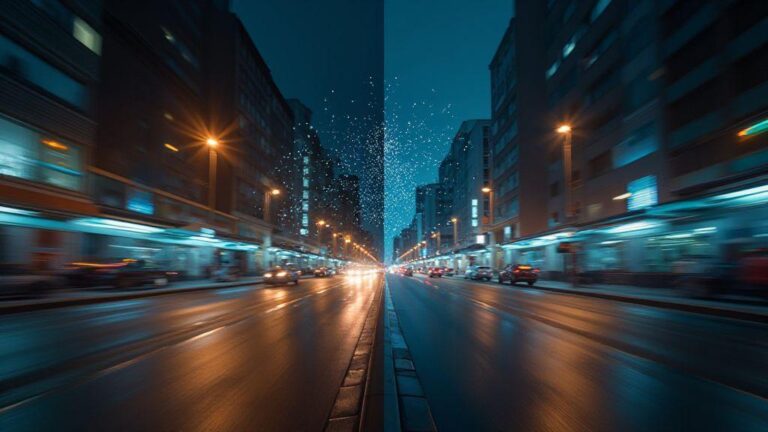
When comparing two shots of the same scene, the longer exposure often feels more natural, while the shorter one feels more energetic. Your choice depends on whether you want mood and brightness or motion and clarity.
Why longer exposure brightens low light shots
Longer exposure lets the sensor soak up light longer, capturing more tonal information. Shadows aren’t as black, highlights aren’t blown out, and textures appear more lifelike. You’ll also notice less digital noise since the camera doesn’t have to push ISO as hard.
To avoid blur, brace yourself or use a stable surface or small tripod. When the device is steady, longer exposure delivers glow without shake.
Quick fact: night mode exposure time basics
Exposure Time in Night Mode: How Long Does Your Phone Take to Capture the Photo varies by device and lighting. In very dark spots, it can range from a fraction of a second to a few seconds, with the phone deciding what’s safe for a clean shot.
How your phone chooses exposure and shutter speed
When you point your phone at a night scene, the camera analyzes brightness, color, and contrast to decide how long to open the shutter and how sensitive the sensor should be. In darker scenes, it lengthens the exposure and may push ISO up a bit to brighten without excessive noise. In lighter moments, it shortens the exposure to protect highlights. This keeps photos balanced rather than washed out.
The phone balances speed and light. Longer exposure gathers more light but risks blur; faster exposure freezes motion but requires more light or higher ISO. Tiny adjustments frame by frame keep brightness steady and motion natural. Your exposure choice influences every part of the photo, from shadow brightness to silhouette crispness.
Light sensor reads scene and sets shutter
The light sensor determines the base shutter speed by scanning brightness, color warmth, and contrast. Dim scenes get longer shutters; some glow from lamps shortens the shutter to avoid blown-out spots. The sensor guides the camera quietly in real time, keeping things readable.
How phone night mode shutter speed and ISO work
In night mode, the phone stacks several short or long exposures and blends them. Shutter speeds vary per frame to gather more data, while ISO may rise to help brightness. The result is a single clearer image even in very dark conditions. It’s like taking multiple quick snaps and combining them, reducing noise and preserving detail. If movement exists, the phone may keep a shorter exposure while boosting ISO to maintain brightness.
Behind the scenes: phone night mode shutter speed
Shutter speed in night mode balances light gathering with motion control. For still subjects, it slows shutter a bit to cut blur, then may raise ISO or stack frames to maintain brightness. In very dark scenes, longer average shutter times appear, but stacking helps keep noise down. The goal is a natural look rather than a dark, grainy image.
How long does night mode take to capture the photo
Night mode intentionally pauses to gather light and stack frames, trading speed for detail. You’ll notice a longer wait compared to daytime shots, but the result is brighter, cleaner, and better focused. If you’re in a dim room and want a quick memory, you might skip night mode. If you want a clearer scene with less grain, you’ll let the phone take its time.
The duration isn’t random. It reflects the phone balancing light, movement, and noise. In darker scenes or with unsteady subjects, the wait is longer, especially at higher resolutions. A tripod can shorten the perceived wait, as the pipeline runs more smoothly.
Typical night mode capture duration in seconds
Most mainstream phones spend about 2–5 seconds collecting data for a single photo in low light. Very dark scenes or still subjects can push toward 6 seconds or more, while a steady setup on a dim but moderate scene may land around 2–3 seconds. Walking or busy scenes tend to extend this time due to motion and stacking requirements. A tripod or steady stance often yields the shorter end of the range.
You’ll often see a small on-screen timer; let it finish for best results. The final image is usually brighter, with less grain and more accurate color than a quick dark-shot.
Factors that make how long night mode takes vary
- Lighting level: darker scenes require longer capture.
- Subject motion: moving subjects extend the capture to reduce blur.
- Stability: a tripod or firm grip trims processing time.
- Hardware and software: newer devices optimize stacking.
- Scene contrast: high contrast can require extra processing.
- Sensor noise and ISO: higher noise may lengthen the exposure window.
If you shoot often in low light, plan around these variables: stabilize, be patient, and you’ll get cleaner images with better detail.
Average times: how long night mode takes on phones
On most mainstream phones, night mode capture typically sits in the 2–5 second range under average low-light conditions. Flagships may push closer to 6 seconds when the scene is very dark or still; mid-range devices around 3–4 seconds. A tripod or perfectly still stance reduces the wait. If the scene is chaotic or nearly blackout, longer waits help reduce noise and preserve color.
How computational exposure stacking improves night shots
Exposure stacking blends many frames into one, pulling together the best moments from each frame. This reduces grain, preserves texture, and produces more natural colors, especially in shadows.
Phones take many frames per shot and align them to minimize motion blur before blending. The result is a sharper foreground and clearer background that feels true to life.
How computational photography exposure stacking works
The phone captures several frames with slightly different brightness, aligns them to reduce hand-shake blur, and blends them into one final image. The process reduces noise while preserving detail, producing a photo that feels like you saw it, just cleaner.
Processing time vs capture time at night
When shooting at night, you’ll notice a gap between pressing the shutter and the photo appearing. That processing time matters as much as capture time, because the phone stacks frames, reduces noise, and adjusts color. If you’re chasing a candid moment, processing time can be the longer part of the journey.
Optimizing processing time can come from a stable stance or tripod, enabling fewer stacked frames. Some scenes benefit from lighter processing; others need fuller stacking to keep color and detail. The takeaway: exposure time in night mode is only part of the story—the processing time often defines how long you wait for the final image.
What the phone does after capture finishes
After you press the shutter, the device stabilizes and aligns data from multiple frames, reduces noise, and adjusts color and contrast. You may see a brief screen flicker or a delay as these steps happen. The phone may also save multiple versions (RAW for editing and JPEG for sharing). If results look soft, it’s often due to a faster, lighter processing path or tricky lighting. You can re-shoot with a steadier hand or a tripod for smoother results next time.
When night mode processing time adds to total delay
Night mode adds a deliberate wait to stack frames and smooth noise. If you’re in a hurry, you might switch off extended stacking to freeze motion better. For static scenes, night mode shines, delivering a dramatic improvement at the cost of time. Set expectations with a mental timer: longer delays are common in very dark scenes or at higher resolutions.
How to keep shots sharp when shooting handheld
- Use a stable stance: plant your feet, tuck your elbows, hold the phone close to your body.
- Enable stabilization: turn on optical or electronic stabilization; use both if available.
- Try a short burst: multiple frames give you a better chance at a crisp shot.
- Avoid heavy zoom: zoom introduces more shake.
Practice timing with your shutter: snap during natural stability, review results, and learn which lighting mixes work best.
Handheld night mode stability tips you can use
Hold the phone like a steady beam, press with minimal movement, and if possible, lean against a solid surface. A small flash can help in very dark scenes, but test softer options like night portrait. Burst mode often yields the cleanest frame. Keep the lens clean for crisper results and stay updated with the camera app; updates can improve exposure handling and speed.
Exposure time vs ISO: what to choose on your phone
Two knobs matter: exposure time and ISO. Longer exposure and higher ISO both brighten, but they trade off noise and motion blur. If the scene is still, a longer exposure with lower ISO yields the cleanest result. In moving scenes, shorter exposure with higher ISO can preserve motion without waiting for light.
Your phone balances these by default, but understanding the idea helps you decide when to tweak. If you can, test shots in typical nighttime locations to learn which changes you prefer for detail, color, or movement.
How phones balance exposure time vs ISO in night photography
Smart algorithms favor shorter exposure times to reduce blur and push ISO up to brighten shadows when needed. If the scene is still, a longer exposure can help. In Night Mode, the phone may extend exposure and boost ISO to reach a brighter result without excessive delay. Lock exposure or adjust sliders if you want more control, keeping in mind the tradeoffs: longer exposure risks blur, higher ISO brings grain.
When higher ISO is better than longer exposure
Higher ISO is useful in busy, moving scenes where you can’t stay perfectly still. Shorter exposure stops motion blur, and higher ISO brightens the scene enough to capture the moment. In crowded environments, accept a little noise to preserve momentary clarity.
Choosing exposure time vs ISO on your phone
If the scene is still, push exposure time a bit longer and keep ISO low for the cleanest image. If there’s movement, favor a shorter exposure and raise ISO to maintain brightness and detail. Stabilize your shot to maximize results.
Exposure Time in Night Mode: How Long Does Your Phone Take to Capture the Photo should guide your planning when possible. If you want quick snaps, the night mode capture may take slightly longer than a typical daytime shot, so prepare accordingly.
Phone features that shorten night capture duration
- Optical image stabilization and faster sensors help gather light more efficiently.
- Faster processors reduce stacking and processing times, speeding up the final result.
Optical image stabilization and faster sensors
OIS steadies the image, allowing longer shutter speeds with less blur. A brighter, faster sensor captures more light quickly, reducing wait times.
How fast processors reduce night mode capture duration
A fast processor handles frame stacking, noise reduction, and dynamic range tweaks rapidly, making night mode feel more responsive.
Phone camera low light exposure time features
Some devices offer presets or modes that shorten exposure time while preserving brightness. These adjust ISO and exposure to minimize duration, helping you capture quicker in dim settings.
Simple tips to make night shots faster and cleaner
- Use a stable surface, flash, or burst mode to cut down on blur and waiting.
- Clean the lens to avoid halos and bloom in light sources.
- Keep the camera app updated for the latest improvements in exposure handling and processing speed.
Exposure Time in Night Mode: How Long Does Your Phone Take to Capture the Photo is a key concept to understand when planning shots in low light. With practice, you’ll know how to balance stability, exposure, and processing to get crisper, brighter images faster.
Quick fixes to make how long does night mode take faster
- Ensure you’re in the right mode for the scene; if light is sufficient, a shorter exposure can still produce a good shot.
- Use the timer to steady your hand and reduce micro-movements.
- Lower resolution if ultra-detailed capture isn’t required; this can reduce processing time.
- Pre-focus on a bright spot, then switch to night mode to lock onto a strong area quickly.
Exposure Time in Night Mode: How Long Does Your Phone Take to Capture the Photo can guide your setup. Steadying yourself, planning ahead, and using the phone’s light magic can yield faster, cleaner night captures.

Smartphone Night Photography Enthusiast & Founder of IncrivelX
Vinicius Sanches is a passionate smartphone photographer who has spent years proving that you don’t need an expensive camera to capture breathtaking images after dark. Born with a natural curiosity for technology and a deep love for visual storytelling, Vinicius discovered his passion for night photography almost by accident — one evening, standing on a city street, phone in hand, completely mesmerized by the way artificial lights danced across wet pavement.
That moment changed everything.
What started as a personal obsession quickly became a mission. Vinicius realized that millions of people were carrying powerful cameras in their pockets every single day, yet had no idea how to unlock their true potential after the sun went down. Blurry shots, grainy images, and washed-out colors were robbing everyday people of memories and moments that deserved to be captured beautifully.
So he decided to do something about it.
With years of hands-on experience shooting city streets, starry skies, neon-lit alleyways, and creative night portraits — all with nothing but a smartphone — Vinicius built IncrivelX as the resource he wished had existed when he was just starting out. A place with no confusing jargon, no assumptions, and no gatekeeping. Just honest, practical, beginner-friendly guidance that actually gets results.
Vinicius has tested dozens of smartphones from every major brand, explored dark sky locations across multiple states, and spent countless nights experimenting with settings, compositions, and editing techniques so that his readers don’t have to start from scratch. Every article on IncrivelX comes from real experience, real mistakes, and real lessons learned in the field.
When he’s not out shooting at midnight or writing in-depth guides for the IncrivelX community, Vinicius can be found exploring new cities with his phone always within reach, looking for the perfect shot hiding in the shadows.
His philosophy is simple: the best camera is the one you already have — you just need to learn how to use it in the dark.