Common Astrophotography Mistakes: Avoiding Pitfalls with 2026 Smartphone Features
Secure Your Phone to Stop Blur
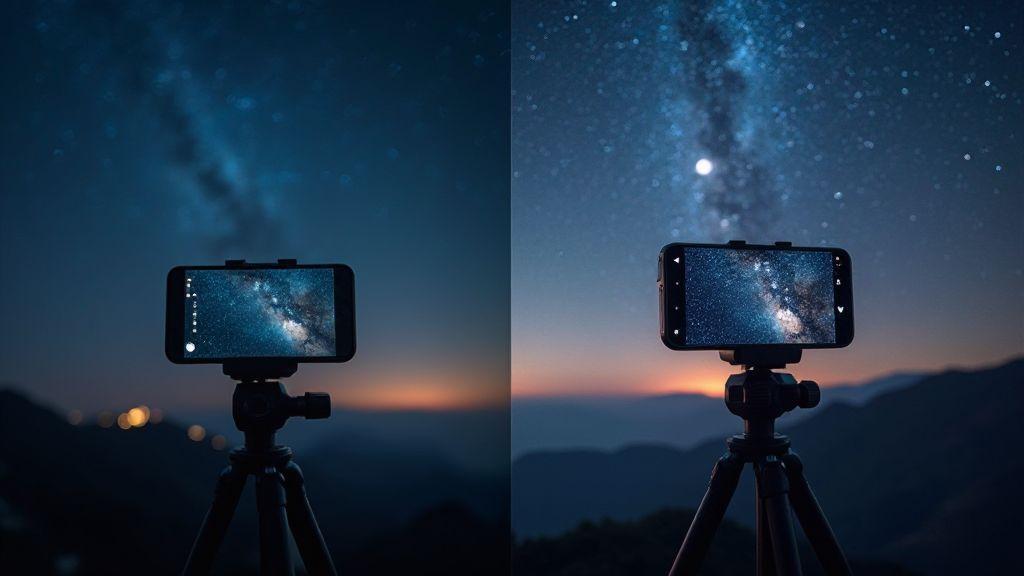
Your night shots stay sharper when you lock your phone in place. The moment you touch the screen, even a tiny wiggle can blur the frame. Think of it like tying a string to a kite—if the string moves, the kite tilts. A secure phone gives your camera a stable base and your settings a chance to shine. This is the first step toward clean star halos, crisp city lights, and well-defined silhouettes.
Use a dedicated grip or clamp that fits snugly and pads the edges to avoid scratches. If you don’t have a tripod, a sturdy table edge or a wall-mounted holder can work in a pinch. The key is not letting your hands steer during exposure. A secure setup reduces motion blur and lets you focus on framing and timing. If your phone has built-in stabilization, use it, but don’t rely on it alone—secure mounting ensures you get the full benefit of software tricks and keeps shots sharp when shared with friends.
Apply stabilization and tripod use for steady shots
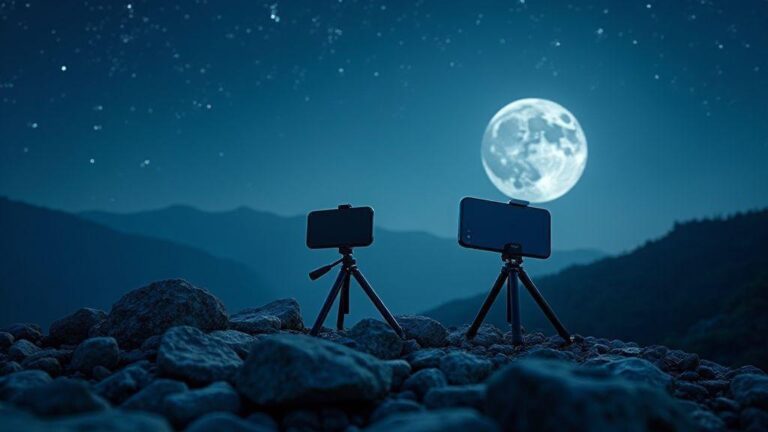
Stabilization works best with a real tripod. Use a small travel tripod or sturdy mount, extend the legs, and bring the camera to eye level. A steady base prevents last-second bumps and yields cleaner foregrounds with less star trailing.
If you lack a tripod, improvise on a flat surface with a rock-solid grip. A flexible tripod or clamp mounted to a railing can work. Keep the setup near the edge to frame the night sky without leaning. Time shots for calmer winds—any breeze can move the tripod even if you can’t feel it.
Enable gridlines and level indicators. The grid helps align horizons and constellations, and the level keeps stars upright. If your phone offers a burst mode for long exposures, use it sparingly to avoid motion blur. A solid base plus proper settings yields sharper stars and cleaner cityscapes.
Avoid smartphone astrophotography mistakes by not handholding
Never handhold during long exposures. Tiny hand tremors create lines across the sky. Lock in a center of gravity with a tripod or secure mount. If you must shoot handheld, use a timer or remote shutter to avoid blur. A windy spot benefits from extra tripod mass to resist vibration, helping you capture a calmer night scene.
Common Astrophotography Mistakes: Avoiding Pitfalls with 2026 Smartphone Features is a helpful reminder, but the real fix starts with not handholding. You’ll reduce ghosting, keep edges sharp, and preserve color integrity, delivering crisper star fields and well-defined city lines.
Level and clamp your phone
Leveling is non-negotiable. A slight tilt can skew both foreground and sky. Use a spirit level on the tripod head or a bubble level app to verify a flat sit. Clamp tightly after leveling to prevent slip during a shot. A snug grip protects the phone and helps you focus on composition. If you see movement after locking, re-check level and retighten. Precision here saves post-edit time and keeps the scene true to life.
Set Your Focus for Sharp Stars
Avoid incorrect focus for stars with manual or infinity focus
When shooting the night sky, avoid blurry stars by nailing focus. If you use manual focus, start with a bright star or distant light and tweak until it’s sharp. Don’t rush—tiny adjustments matter. Infinity isn’t a magic setting; some lenses backfocus or front-focus at night. A touch closer or farther can yield crisper star points.
Don’t rely on tap-to-focus when you need pinpoint stars
Autofocus can hunt in the dark and lock onto a horizon or streetlight instead of a sky star. Tap-to-focus often wastes time chasing soft focus. Switch to manual focus and use live view to fine-tune. Trust your eyes over the autofocus beep for star subjects.
Verify focus with your zoomed live view
Live view is your best friend for focus. Zoom on a bright star and check edges for sharp points. If it looks like a diamond with clean spikes, you’re close. If it’s fuzzy, nudge the focus and recheck. A precise adjustment saves hours of post-processing.
Avoid Your Mobile Long Exposure Errors
When you chase stars, cars, or city lights, tiny mistakes become big problems on a phone screen. Your goal is clean, sharp detail with just enough glow to tell the story. Start by recognizing common errors: motion blur from long shutter times, noise from high ISO, and banding or color shifts in low light. Fix these with simple tweaks, small tools, and smart apps.
- Short shutter times reduce blur; compensate with ISO or aperture if supported.
- Burst mode and stacking can help keep detail while minimizing noise.
- Protect eyes from fatigue; use a timer or remote to avoid camera shake.
- Practice makes perfect—the more you shoot with intention, the fewer mistakes you’ll make.
Fix mobile long exposure errors by keeping shutter times short
Shorter shutter times cut motion blur and preserve detail. If you need more light, compensate with ISO or aperture where available. For longer scenes like star trails, use a tripod and stack multiple shorter exposures.
Use exposure stacking mobile apps to reduce noise and boost detail
Stacking combines multiple short captures to reduce noise and reveal subtle textures. Align and blend frames carefully; exclude frames with movement to avoid smearing.
Follow the 500 rule for your setup
The 500 rule helps you pick a safe handheld shutter time to avoid star trails. 500 divided by your focal length (in mm) gives seconds. On phones, stay near 1–5 seconds at typical focal lengths; with a tripod you can push longer. This is a baseline—adapt as needed and practice with different scenes.
Turn off AI that smears your stars
AI processing can smear tiny star points. Turn off AI-driven night modes or smoothing to keep stars pristine. Compare AI-on versus AI-off shots to judge which looks truer to the night sky.
Watch for AI processing star smearing in night modes
Night mode can soften stars. Use basic or pro modes and disable AI noise reduction or stabilization to retain star detail. Rely on histogram and live preview for exposure rather than built-in AI fixes.
Disable noise reduction artifacts that erase faint stars
Excessive noise reduction can wipe out faint stars. Set NR to Low or Off when possible, or shoot RAW and handle noise in post. A natural sky preserves star specks while keeping foreground clean.
Capture RAW to bypass phone AI
RAW preserves star detail by bypassing built-in AI corrections. It gives you control over exposure and sharpness, with more faithful sky rendering. If new to RAW, practice on a tripod with known exposure and basic edits.
Fix white balance to keep star color
White balance shifts can alter star hues. Start with a neutral baseline: shoot a dark sky and choose a WB that keeps stars blue or white without turning them orange or green. If available, try Kelvin around 3800–4200K, then adjust in post if needed. RAW helps you tweak WB after shooting without data loss.
Prevent white balance star color shift with Kelvin or RAW tools
Kelvin offers precise color control. Start at a baseline like 4000K and test frames to see how stars respond. If stars look yellow, go cooler; if blue, warm slightly. RAW lets you adjust WB after the session without sacrificing data. Compare RAW frames with different WB values to pick the most faithful result.
Avoid automatic night mode shifts that change star hues
Automatic night modes can push colors toward warmer or cooler tones, shifting star hues. Turn off auto night modes and rely on manual WB or RAW workflows for color fidelity. If handheld, shoot RAW so you can undo any hue bias later.
Compare with star charts to check color
After a set, compare with star charts to verify color. If chart hues differ, tweak WB or reprocess RAW with corrected WB. Quick side-by-side checks save time in post and ensure color accuracy across the frame.
Understand Your Phone Sensor and Zoom Limits
Your night photos hinge on understanding what your phone sensor can handle after dark. Some devices push noise into the shadows, others preserve detail but require steadier support. Knowing your sensor’s sweet spot helps you avoid chasing impossible results and instead capture scenes that feel true to the moment.
- Digital zoom can smear stars; avoid heavy cropping or zoom beyond native limits. Plan your shot around the lens’s native field of view and compose with your feet when possible.
- ISO, shutter speed, and stabilization all matter. New 2026 models offer better noise control and brighter sensors, but staying within sensible limits yields better results.
- Practice with scenes to learn how your phone behaves in different environments and adapt accordingly.
Know sensor limitations low light 2026 smartphones have
Even with advancements, low-light sensors have limits: shadow noise, color shifts, and occasional ghosting with blinking lights. Banding can appear in very dark skies or near neon. These aren’t failures but signals to adjust exposure, white balance, or focus rather than brute-forcing shots. Ultra-long exposures aren’t ideal in the field; plan with shorter frames and stack when needed. Use RAW to preserve data for smarter post-processing and keep consistency across shots.
Avoid telephoto cropping star trailing from heavy digital zoom
Avoid relying on heavy digital zoom in night scenes. It enlarges pixels and makes stars look muddy. Crop after taking the shot rather than zooming in-camera. If you must zoom, pair it with a tripod and longer exposure at native zoom or stitch frames later. For star trails, stack multiple short exposures rather than one long, to keep stars crisp.
Use native optics instead of heavy crop
Native optics deliver the cleanest results. If you need more reach, consider compatible lenses or post-capture resizing rather than aggressive in-camera zoom. Reframe with your feet for sharper lights and textures. Native optics bring you closer to what you experienced in the dark.
Common Astrophotography Mistakes: Avoiding Pitfalls with 2026 Smartphone Features
A concise guide to keeping your night shots faithful and sharp with modern devices. This hub ties together the core lessons of stabilization, focus, exposure, white balance, and sensor limits, aligned with 2026 smartphone capabilities.
- Plan and stabilize: secure mounting, avoid handholding, and use a tripod whenever possible.
- Focus deliberately: manual focus on a bright star, verify with zoomed live view, and avoid relying on autofocus in the dark.
- Manage exposure: keep shutter times short to reduce blur, use stacking to boost detail, and apply the 500 rule as a baseline.
- Control processing: turn off AI smoothing for stars, test RAW format, and compare WB using Kelvin or RAW workflows.
- Respect sensor limits: stay within native focal lengths, avoid over-zooming, and shoot with intention rather than chasing perfection through heavy cropping.
This section reinforces how Common Astrophotography Mistakes: Avoiding Pitfalls with 2026 Smartphone Features guides you to cleaner star fields, truer colors, and sharper cityscapes by leveraging the capabilities of 2026 smartphones.
Turn Off AI That Smears Your Stars
Your night photos can glow without AI smearing star points. AI processing can soften or smear tiny stars, softening your Milky Way or star trails. Turn off AI features by default and rely on manual or RAW workflows for crisper results. Compare AI-on and AI-off shots to judge what preserves detail most faithfully. Let the histogram and live preview guide exposure, not automated enhancements.
Watch for AI processing star smearing in night modes
Night modes can hide sharp stars behind soft strokes. If you see smearing, switch to a basic or pro mode and disable AI options. Trust your eye and the preview over automatic enhancements.
Disable noise reduction artifacts that erase faint stars
Overly aggressive NR can erase faint stars. Use low NR or RAW so you can apply selective noise reduction later. Preserve faint specks to maintain depth in your sky.
Capture RAW to bypass phone AI
RAW preserves star detail and gives you control in post. It’s worth the extra steps for nighttime clarity. Start with a tripod shot at a known exposure and practice basic edits.
Fix White Balance to Keep Star Color (Revisited)
White balance shifts can alter star hues. Use a neutral baseline, test a few frames, and prefer Kelvin settings around 3800–4200K for celestial tones. RAW lets you adjust WB after shooting without data loss. Compare frames and maintain consistency across the frame to avoid patchy color.
Compare with Star Charts to Check Color
Use star charts as a color sanity check. Align bright stars with charts to verify hues. If colors drift, tweak WB and reprocess RAW.
Final Thoughts: Understand Your Phone Sensor and Zoom Limits
Respect what your sensor and zoom can do after dark. The more you work with your phone’s natural strengths, the closer your results will be to what you saw. Practice, compare, and adjust for different scenes, from city blocks to star-filled skies. Clean, reliable night photos come from deliberate technique, not dramatic post-processing.
You’ll now aim for consistent framing and stable shots, delivering night photos you’re proud to share without hours of editing or cropping away the essence of the moment.

Smartphone Night Photography Enthusiast & Founder of IncrivelX
Vinicius Sanches is a passionate smartphone photographer who has spent years proving that you don’t need an expensive camera to capture breathtaking images after dark. Born with a natural curiosity for technology and a deep love for visual storytelling, Vinicius discovered his passion for night photography almost by accident — one evening, standing on a city street, phone in hand, completely mesmerized by the way artificial lights danced across wet pavement.
That moment changed everything.
What started as a personal obsession quickly became a mission. Vinicius realized that millions of people were carrying powerful cameras in their pockets every single day, yet had no idea how to unlock their true potential after the sun went down. Blurry shots, grainy images, and washed-out colors were robbing everyday people of memories and moments that deserved to be captured beautifully.
So he decided to do something about it.
With years of hands-on experience shooting city streets, starry skies, neon-lit alleyways, and creative night portraits — all with nothing but a smartphone — Vinicius built IncrivelX as the resource he wished had existed when he was just starting out. A place with no confusing jargon, no assumptions, and no gatekeeping. Just honest, practical, beginner-friendly guidance that actually gets results.
Vinicius has tested dozens of smartphones from every major brand, explored dark sky locations across multiple states, and spent countless nights experimenting with settings, compositions, and editing techniques so that his readers don’t have to start from scratch. Every article on IncrivelX comes from real experience, real mistakes, and real lessons learned in the field.
When he’s not out shooting at midnight or writing in-depth guides for the IncrivelX community, Vinicius can be found exploring new cities with his phone always within reach, looking for the perfect shot hiding in the shadows.
His philosophy is simple: the best camera is the one you already have — you just need to learn how to use it in the dark.