Why aperture matters for your night photos
Night photos come alive when you understand how aperture shapes light and detail. Your camera lens is a gate that decides how much light you let in and how much background blur you keep. Adjusting aperture tells the camera how bright the scene should be and how sharp or soft the foreground and background will look. This choice changes the mood of your shot, helping you capture cleaner, brighter nights with more defined subjects.
A wider opening (bigger aperture number) lets in more light, helping you capture clearer images in low light. A smaller opening lets in less light but increases depth of field, keeping more of the scene in focus. Think of aperture as painting with light: the wider the brush, the more light the canvas drinks. You’ll see this directly in your night photos: the sky glows softly while your subject stays crisp.
Aperture also changes how the night looks in your photos. If you open the lens too wide, bright points of light can bloom into halos. If you stop down too much, your photo can feel dark and flat. The goal is balance: enough light for your subject, enough depth for context, and just enough blur to separate subject from background. With practice, you’ll find the sweet spot.
How aperture controls light and background blur
A larger aperture (smaller f-number) lets in more light, enabling faster shutter speeds and reducing motion blur from moving subjects. It also reduces depth of field, making the background blurrier and the subject pop. This is ideal for portraits on neon-lit streets or a skyline with a foreground figure.
Narrowing the aperture (larger f-number) lets less light in but increases depth of field, keeping more of the city lights and distant buildings sharp. The trade-off is slower shutter speed or higher ISO, which can introduce noise. A mid-range aperture often keeps the subject crisp while allowing enough context.
Background blur, or bokeh, is a big reason people love wider apertures for night photography. The creamy background helps the subject stand out. But too-wide a aperture can erase important background context. Aim for a balanced aperture that preserves context while keeping the subject distinct.
Aperture impact low-light photos
In low light, aperture is your main ally. A wider opening brightens the image without pushing ISO too high, reducing noise. It also lets you use a faster shutter speed to freeze motion.
If you want more depth, a smaller aperture keeps more of the frame in focus, useful for cityscapes. The trade-off is needing a slower shutter or higher ISO, which can reintroduce noise. The trick is choosing a mid-range aperture that preserves the scene’s intent.
A common mistake is assuming bigger aperture is always better. Sometimes you need more structure in the background to tell the story. A middle ground, balanced with shutter speed and ISO, yields more atmospheric, true-to-scene night photos.
Simple rule to boost your night exposure
Aim for a mid-range aperture that keeps your subject clear and enough of the scene in focus, then adjust shutter speed to control motion. If unsure, start at f/4 or f/5.6, check exposure, and adjust. If the image is dark, raise ISO slightly or lengthen the shutter; if too bright, close the aperture a notch and try again.
What phone hardware can actually change your aperture
You want to know if your phone camera can truly change its aperture. The honest answer: some phones can, some can’t, and it varies by model. Real light differences show up on devices with physical movable elements or specialized lens groups. Others rely on software tricks that simulate aperture changes, but they don’t truly change the lens’s light gathering.
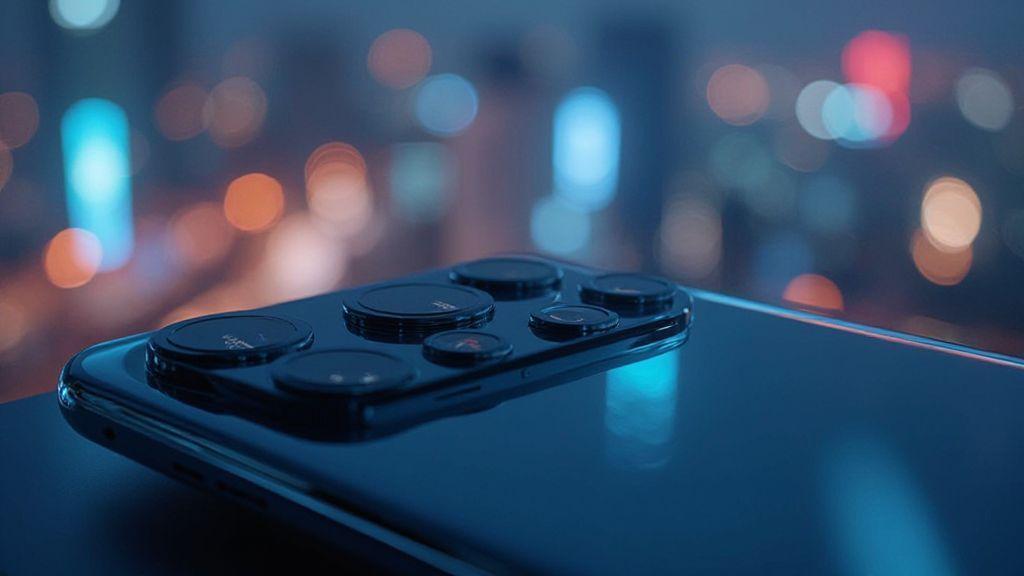
When you check hardware, look for: a lens with a movable aperture mechanism or a second brighter lens paired with the main lens. A movable element means the f-stop can vary, letting more or less light in. A brighter secondary lens often acts as a fast alternative light source without changing the main aperture. If a phone relies on software smoothing or stacking, you’ll notice the limit in low light, not daylight scenes. Real aperture control is the goal.
If you’re choosing a phone today, ask about the aperture range and how it behaves across modes. Some devices advertise dual apertures; others use a single fixed value and a brighter secondary lens for low light. Results can vary between video and stills, so test both. Remember that sensor size, lens quality, and pixel size shape your final image as much as the aperture itself.
Dual aperture phone camera facts
Dual aperture cameras give two light gates. In bright scenes, use the smaller aperture for sharpness; in dark scenes, switch to the larger aperture for more light. The practical effect is better exposure control, not just brighter files. You’ll see faster shutter speeds in dim light while preserving highlight detail if the switch is smooth.
The caveat is how seamlessly the phone switches apertures. Some phones feel instant; others lag or cause exposure jumps. If you shoot fast action or video, delays can be annoying. Not every dual aperture setup yields a dramatic difference—the two apertures can be close in value.
If comparing models, consider how often you shoot at night or in mixed light. Dual aperture helps, but you still want good low-light sensitivity, noise control, and a capable sensor. It’s a real tool, not a gimmick, but usefulness depends on processing and lens quality.
Variable aperture smartphones 2026: what to look for
When shopping 2026 models, look for phones that announce a true variable aperture, not just a hybrid system. You want a device where you can pick a wider f-number in dark scenes and a narrower one in bright scenes with predictable results. Specs like f/1.5–f/2.4 indicate a real variable aperture. If you see dual aperture without a clear range, that’s a red flag.
Test by photographing the same scene at dusk and under bright sun. Do you notice a difference in depth of field and brightness when switching modes? Are highlights preserved and shadows kept clean? Check video behavior for consistent exposure and depth of field as you move.
Beyond aperture, consider sensor size and lens quality. A wider real aperture on a tiny sensor may underperform a modest aperture on a larger sensor. Glass, coatings, and microlenses matter as much as the f-stop.
How software gives you aperture-like control on your phone
You don’t need a DSLR to shape light on your phone. Modern apps can trick your camera into behaving like it has a bigger or smaller hole, improving exposure, depth, and color. Software-based aperture control helps scenes look closer to what you see, not just what the sensor captures.
Software-aperture effects aren’t magic; they’re tactics. Tap to focus and adjust exposure, and your phone rebalances light. Some modes push brightness or shadows, others simulate shallower depth to make the subject pop. Not perfect, but practical. Use it to rescue tricky lighting, like a cafe at night or a sunset walk.
You’re guiding the camera’s light intake with your finger; the processor blends frames, reduces noise, and preserves color. You gain control without new gear. It’s like a smart filter that understands your scene and nudges exposure in the right direction. Night photos stop looking flat and start telling a story.
Aperture vs computational photography in phones
Aperture control on phones is less about a physical hole and more about software shaping light. Modes that simulate a wide opening brighten portraits with softer edges, but too much blur can reduce background sharpness. It’s a balance you’ll learn with practice.
Computational photography blends multiple tricks: stacking frames, reducing noise, and aligning images for a cleaner result. It can brighten shadows while keeping highlights in check, mimicking a larger aperture. The trade-off is possible loss of natural texture in the background, especially with moving scenes. Practice to know when to rely on software and when to switch modes for realism.
Some phones offer portrait or night modes that simulate depth or exposure. These are software tricks delivering aperture-like control without changing a lens. For classic bokeh or crisp foregrounds, you may still need a physical or simulated wider aperture and a steady hand.
Synthetic aperture techniques smartphones use
Smartphones fake a bigger hole by using multiple frames. They shoot several quick photos and merge them, keeping the best parts of each. The result brightens shadows without blowing highlights and adds a touch of blur to mimic shallow depth of field.
Depth mapping helps the phone estimate foreground and background and apply selective blur. This makes subjects pop while the background recedes, giving a three-dimensional feel even without a real lens change. Stabilize your subject and shoot at a clear distance for best results.
Synthetic aperture relies on frame stacking and smart processing to improve dynamic range. It can introduce ghosting or a slightly artificial look with fast action. Practice with still subjects first, then test moving scenes to know where to trust the software and when to switch modes.
How you can control aperture on phone today
You can shape how a photo looks by managing aperture, even if the lens is small. Many phones offer ways to tweak exposure, depth, and blur to eye-pleasing results. Aperture control isn’t always a separate knob; it’s embedded in modes that tell the phone how much light to let in and how much background to blur. Learn these settings to add texture and contrast to your shots.
Balance light and blur by choosing the right setting for your scene. For a clear background with a sharp subject, push toward a smaller aperture (higher f-number). For a pop with creamy background, open the aperture (lower f-number). The goal is to control how much of the scene is in focus, so your viewer’s eye lands where you want. A few taps can recreate the look of a big camera in your pocket.
As you experiment, you’ll notice lighting and movement change the effect. A busy street at dusk requires a different approach than a quiet park at noon. The phone adapts, but your choice guides the result. It’s about shaping mood with light and blur, not chasing a perfect number. With practice, you’ll adjust aperture-related settings quickly for sharp faces and softly fading backgrounds.
Use a manual aperture smartphone app
Manual aperture apps give direct control over how wide the lens opens. A slider or wheel sets f-stop values—from wide to narrow—so you can judge depth of field before you snap. Lock focus, then adjust aperture to keep results steady. In tricky light, the app can remind you to tweak ISO or shutter speed to avoid grain or motion blur.
Practice with a few numbers: try f/1.8 for strong subject blur in portraits, then switch to f/4 or f/5.6 for more scene in focus. Use the histogram and exposure indicators to keep photos balanced. You’ll learn which scenes respond best to a wide aperture and which need more depth.
How to control aperture on phone with pro mode
In pro mode, you gain precise control over how your camera captures light. Pro mode lets you balance ISO, shutter speed, and aperture to shape depth and light. Start with a base ISO that minimizes noise, then choose a shutter speed matching the action. Adjust the aperture to control blur and depth. The goal is a natural look, not overprocessed.
Set low ISO for bright scenes and higher ISO for dim ones, then fine-tune aperture for your desired effect. For people, a wider aperture helps separate them from a busy background. For landscapes, stop down to keep the whole scene in focus. Pro mode preserves detail in shadows and highlights, preventing loss in night skies or bright sun.
Step-by-step to change exposure and blur:
- Open pro mode and set ISO to the lowest usable value.
- Choose a shutter speed that matches movement.
- Adjust the aperture for the desired blur.
- Recheck exposure with the histogram and tweak as needed.
- Lock exposure and focus if your subject moves, then shoot.
Best aperture settings for your night mode shots
Your night mode success starts with the aperture. A larger aperture (f/1.8–f/2.0) lets in more light, allowing shorter shutter speeds and less ISO. But very wide apertures can soften edges or blur motion if not careful. For city streets with moving cars, a slightly smaller aperture (f/2.8–f/4) helps keep more of the scene in view while controlling noise. For low-light portraits, f/1.8–f/2.2 can separate the subject from the background, provided the subject stays relatively still.
With night mode, the camera often auto-adjusts aperture. You can take back some control by selecting mid-range apertures (f/2.8–f/4) for busy scenes. If indoors in a dim room, a slightly narrower aperture improves detail and reduces shake. The key is to choose an aperture that keeps important elements sharp while letting the camera reduce noise.
Practical ranges to test:
- Low-light portraits: f/2.0–f/2.8
- Scenes with movement: f/3.2–f/4
- Everything in frame: f/5.6–f/8 Keep testing; your eye will learn which aperture yields the sharpness you want with acceptable noise.
Aperture settings for night mode that reduce noise
When noise is a concern, mid-to-smaller apertures help. A tighter opening (f/4–f/5.6) reduces light intake, encouraging lower ISO and crisper detail. For static subjects in low light, this range gives enough light for a clean shot with preserved depth.
If you need more depth of field, pair a smaller aperture with a tripod or steady hand. The camera needs time to gather light without boosting ISO. If you can tolerate a bit more noise, you can open to f/2.8 for a brighter shot while still keeping the subject sharp. Your goal is to minimize grain while preserving critical detail.
Watch for edge softness around lights when using very small apertures. If the lens behaves oddly at extremes, start at mid-range (around f/4), then adjust by a stop as needed. This disciplined approach helps you keep noise in check without sacrificing scene vibe.
Balance ISO and shutter with aperture for sharper images
Aim for a clean balance: keep your aperture in a favorable range (like f/2.0–f/4 for most night scenes) and then tune ISO and shutter accordingly. A lower ISO reduces noise but needs more light, meaning longer shutter times. If the subject is still, you can use longer shutter with lower ISO. If the subject moves, you’ll need a faster shutter and a modest ISO with a wider aperture to keep exposure fair.
Think of it as a dance: aperture controls the doorway size, ISO sets the room’s loudness, and shutter speed determines how long you stand in that doorway. For hand-held shots, aim for 1/60–1/125 seconds and adjust ISO to balance exposure. A tripod enables 1/30 seconds or longer with lower ISO for crisper results.
Quick tip: if you see grain in night shots, nudge the aperture toward the mid-range (f/2.8–f/4) and drop ISO a notch, then compensate with a slightly longer shutter. Small tweaks go a long way to preserve shadows and reduce noise.
Quick settings to try on low light
- Start with: aperture f/2.8, shutter 1/60s, ISO Auto with a cap around 800–1600. If noise creeps in, drop to f/3.5 and lock ISO lower.
- If your subject is still and you have a tripod: aperture f/4, shutter 1/15s, ISO 100–400 for rich detail with minimal grain.
- For moving subjects in dim rooms: aperture f/2.0, shutter 1/125s, ISO 800–1600 to capture motion with reduced blur.
Practical tips beyond aperture to improve your night photos
- Stabilize: use a tripod or steady surface; remote shutter release or timer to avoid shake.
- Lock in shutter speed and ISO thoughtfully. Slow shutter lets in more light but can blur motion; start around 1/30s and adjust ISO to keep noise in check.
- Plan focus and exposure. Use manual focus or focus peaking if available, lock exposure on a mid-tone, and review the histogram to avoid clipping highlights or losing shadows.
- Use soft, steady light sources and avoid rushing; small adjustments can turn a muddy night into something clear and inviting.
A practical note for night photography with smartphones
Aperture on Smartphones: Can You Control It for Better 2026 Night Photos? This is the central question for many shooters. In 2026, phones increasingly offer real or simulated aperture control, but the best results come from understanding the difference and testing across modes. Real aperture control yields authentic depth of field and light behavior, while software-based approaches can boost brightness and create pleasing bokeh. When selecting a device, prioritize true variable apertures or dual-aperture systems, good sensor size, and robust processing that preserves details in both shadows and highlights.
If you’re chasing better night photos, combine manual controls with smart processing. Use pro or manual modes to set ISO, shutter, and aperture intentionally, then rely on the phone’s computational features to smooth noise and balance exposure. With practice, Aperture on Smartphones: Can You Control It for Better 2026 Night Photos? becomes less about chasing a number and more about shaping mood with light.

Smartphone Night Photography Enthusiast & Founder of IncrivelX
Vinicius Sanches is a passionate smartphone photographer who has spent years proving that you don’t need an expensive camera to capture breathtaking images after dark. Born with a natural curiosity for technology and a deep love for visual storytelling, Vinicius discovered his passion for night photography almost by accident — one evening, standing on a city street, phone in hand, completely mesmerized by the way artificial lights danced across wet pavement.
That moment changed everything.
What started as a personal obsession quickly became a mission. Vinicius realized that millions of people were carrying powerful cameras in their pockets every single day, yet had no idea how to unlock their true potential after the sun went down. Blurry shots, grainy images, and washed-out colors were robbing everyday people of memories and moments that deserved to be captured beautifully.
So he decided to do something about it.
With years of hands-on experience shooting city streets, starry skies, neon-lit alleyways, and creative night portraits — all with nothing but a smartphone — Vinicius built IncrivelX as the resource he wished had existed when he was just starting out. A place with no confusing jargon, no assumptions, and no gatekeeping. Just honest, practical, beginner-friendly guidance that actually gets results.
Vinicius has tested dozens of smartphones from every major brand, explored dark sky locations across multiple states, and spent countless nights experimenting with settings, compositions, and editing techniques so that his readers don’t have to start from scratch. Every article on IncrivelX comes from real experience, real mistakes, and real lessons learned in the field.
When he’s not out shooting at midnight or writing in-depth guides for the IncrivelX community, Vinicius can be found exploring new cities with his phone always within reach, looking for the perfect shot hiding in the shadows.
His philosophy is simple: the best camera is the one you already have — you just need to learn how to use it in the dark.