What ISO Noise Means for Your Phone
When you snap photos at night, your phone’s ISO setting is a big deal. In simple terms, ISO controls how sensitive your camera is to light. The higher the ISO, the brighter your photo, but the more you’ll see grainy specks called noise. This isn’t a fault in your lens—it’s a trade-off your sensor makes to capture enough light. You’ll notice this most in dark corners, streetlights, and indoors where light is scarce. If you want clean shadows and sharp edges, you’ll need to balance ISO with shutter speed and lighting. Think of ISO as the volume knob for light: turn it up to hear more, but you might also hear more hiss.
Your phone’s noise level comes from how the sensor and software handle data. With night shots, the camera combines lots of tiny light samples to create one picture. If there isn’t enough light, the sensor boosts the signal, which also boosts the grain you see. The result can be speckled skies, muddy textures, or gray patches that steal the detail from faces. You’ll often see this in indoor photos where walls look rough or textures like fabric get speckled. If you want smoother results, you’ll keep ISO lower and let the camera use longer shutter speeds or depend on steady hands or a tripod.
Understanding ISO helps you take better night photos on your phone. You don’t have to avoid high ISO completely, but you should know when it’s doing more harm than good. If a scene is dim, try a lower ISO and a brighter angle or add light with a lamp or your phone’s own torch. If you need faster shots, use a higher ISO and brace yourself for a bit more grain. With practice, you’ll learn the sweet spot for your phone model in different lighting.
ISO noise phone photography basics
ISO noise shows up as little dots or grain in your photos. It looks like static on a TV and steals color and detail. Your phone will often push ISO up automatically in low light, which speeds up the shot but adds that grainy look. If you want crisper images, you’ll want to manage ISO manually when your camera allows it. Keep ISO as low as possible for the scene, and only increase it if you truly need a faster shutter or brighter result.
You’ll notice it most in smooth skin tones and dark backgrounds. The grain can make faces look rough and skies feel muddy. If your subject is moving, a higher ISO might be tempting, but you risk more noise in the motion blur. A steady hand, a small tripod, or resting on a stable surface can help you keep ISO low while still getting a clear picture. Your goal is to maintain detail without turning your photos into speckled shadows.
Phone cameras handle ISO differently, so test your model. Some phones use smart processing to clean up noise after you shoot, which helps, but it can also blur texture you want to keep. Others leave more grain, which can be artistic in some night scenes. Try a few test shots in the same dim room to see how your device processes noise and learn the best settings for your style.
What is ISO noise 2026 explained
ISO noise is the grain that appears when you push a camera’s sensor to work harder. Your sensor captures light in tiny packets; when light is scarce, the camera boosts those packets, which also boosts errors from the sensor itself. Those errors show up as colored specks or dull areas in your final image. This happens more as you raise ISO and in darker environments, especially indoors or at night.
In night photography, your goal is to keep that grain as low as you can. You’ll often be choosing between a brighter image with more noise or a darker one with cleaner tones. Your phone’s software might attempt to denoise, but that can soften details. If you can, add light to the scene first—a lamp, streetlight, or even a small bounce from your flashlight can help you keep ISO lower and noise minimal. It’s a simple switch that makes a big difference.
Quick definition you can use
ISO noise is the grain you see when a phone camera boosts sensitivity in low light. It shows up as colored specks and fuzzy textures, especially in shadows and skin tones. The higher you go, the more grain you get.
Why Your Phone Camera Noise Gets Worse at Night
Nighttime photos feel magical, but your phone’s camera fights a tougher battle. Your images can look grainy, speckled, and just not as crisp as daytime shots. That unwanted grain isn’t a mystery—you’re seeing how light, sensors, and electronics interact when the sun goes down. You can still get better results by understanding what’s happening and making smart, quick choices with your camera settings.
When you shoot in low light, you’re asking your camera to do more with less. The sensor collects more signal, and the processing stack tries to turn faint light into something usable. If you keep shooting the same way as in daylight, you’ll notice more noise, color blotches, and softer edges. Learning why noise shows up at night helps you decide what to adjust: exposure, ISO, shutter speed, and lens distance matter more when it’s dark.
The real trick is balancing how your phone collects light with how it handles that data. Night photos don’t have the same clean signal as daylight shots. You’ll want to change the scene a bit, hold steady, and let your camera do its clean-up work in smaller, smarter steps. With a few deliberate choices, you’ll see a difference you can actually use.
why ISO increases noise in low light
When you film in dim light, your camera increases ISO to keep the image bright enough. That higher ISO makes the sensor more sensitive to light, but it also amplifies every little flaw. Think of it like turning up the volume on a speaker that isn’t perfectly clean—the hiss and crackle rise with the volume. The result is more visible grain and color specks in your photo.
Your phone uses tiny, pixel-sized sensors. In low light, those pixels struggle to collect enough photons. Boosting ISO boosts the signal, but it also boosts the electronic noise that comes from the sensor itself. You’ll notice this as fuzzy textures in dark areas and odd color patches where there shouldn’t be any. If you must shoot in low light, try the lowest ISO that still gives you a usable exposure, and compensate with a longer shutter or steadier hand or tripod when possible.
Another piece of the puzzle is the camera’s processing. Even at the same ISO, different phones push noise differently. Some phones apply noise reduction that can blur details, others leave you with more visible grain. Knowing your phone’s strengths and weaknesses helps you choose the right mode or adjust exposure manually for cleaner results.
phone camera noise at night causes
Several things come together to cause night noise. First, less light means the sensor collects fewer photons, so the camera pushes data harder to fit a proper image. Second, your phone’s processor then amplifies the signal, which also boosts noise. Third, the color information in shadows is fragile and can shift easily, showing odd tints or blotches.
Motion, even tiny hand tremors, compounds the issue. A shaky shot forces the camera to compensate with either a longer shutter or higher ISO, both of which invite more noise. Small cameras aren’t as forgiving as big ones, so every bit of stability helps. The lens also matters; faster lenses (lower f-number) let in more light, reducing the need for heavy amplification, but not all phones have fast lenses, so you’ll still feel some noise in the darkest scenes.
Lastly, processing choices across different scenes affect noise. Your phone’s scene detection may push shadows in a way that reveals grain more than other modes would. Tuning exposure could cut noise, but you’ll want to avoid clipping highlights, so you keep a balanced exposure that preserves detail where you need it.
How low light cuts signal and raises noise
In the dark, your camera has to compensate. It captures a faint signal—like a whisper in a quiet room—and tries to turn it into a loud, clear photo. To do that, it boosts the signal using higher ISO and longer shutter speeds. Both steps raise noise at the same time.
Low light also limits color data. The sensor receives fewer photons for each color channel, so the color balance can shift and introduce color noise. This is why night photos often look cooler or warmer than they should, and you might see odd green or magenta specks in shadows.
Your phone’s automatic modes try to fix these issues, but they’re not perfect. If you want cleaner night photos, you can manually lower ISO and compensate with a steadier shot or a tiny bit longer exposure. Use a stable surface or tripod when possible, and consider turning on any electronic stabilization. Small details matter a lot when every photon counts.
How Your Phone’s Sensor Size Changes Noise
When you snap a night photo, you might notice the image looks grainier or speckled. That grain is noise, and sensor size plays a big role. Bigger sensors gather more light in the same time, so they produce less noise. When your phone has a larger sensor, your photos stay smoother even in low light. You’ll see cleaner shadows and crisper details, not the chunky specks you get with tiny sensors. Your phone’s camera relies on this balance: more light means better color and less grain, especially after the sun goes down.
With smaller sensors, the camera has to push harder to capture light. That means higher ISO, more noise, and more color errors. Think of it like trying to hear a whisper in a loud room—the more light you have, the clearer the message. In dark settings, that whisper becomes a shout because the camera is boosting the signal to compensate. The result is noise that looks like film grain or random speckles across your photo. So, sensor size matters a lot when you’re shooting at night, and that’s why some phones still struggle in low light even if they have fancy features.
If you compare phones side by side, you’ll notice the ones with physically larger sensors perform better in dim lighting. The difference might be most obvious in the shadows: smoother gradations, fewer blotchy patches, and more true colors. And you don’t need a science degree to see it—you’ll just feel it in the finished image. Your goal is to get the best balance of sensor size, light, and processing so night shots don’t look like they’re from a ceiling-lamp-lit party you forgot to attend.
sensor size ISO noise phone cameras facts
Sensing more light means you can keep ISO lower. Lower ISO equals less digital noise, truer colors, and cleaner details. When you know this, you can plan your night shots around two ideas: bigger sensor, lower ISO, better results. It’s a simple trade-off: more light, less grain.
Phone makers keep improving how they handle ISO. They blend data from multiple frames, reduce noise in software, and use clever noise profiles. But the physics doesn’t disappear: more light on a larger sensor always means less noise at the same color and detail level. So when you want cleaner night photos, you should care about sensor size and how your phone manages ISO.
Pixel size and light gathering for you
Pixel size is about how much light each pixel can grab. Bigger pixels catch more photons, so they produce a stronger signal with less noise. If you’re aiming for night shots, bigger pixels are your friend. They give you better light gathering, richer tones, and less grain in the same low-light conditions.
When pixels are small, they collect less light. The camera then tries to fill in the gaps, and you get more noise and speckles. That’s why phones with many tiny pixels can look better in daylight but struggle at night. Your best bet is a camera with larger pixels or a combination of large sensor and pixel-painting software that helps you keep details without cranking the ISO too high.
If you’re deciding between phones, check for terms like larger pixel size or bokeh-friendly sensor in night mode specs. Those hints often point to better light gathering. In practice, you’ll notice more even skin tones, steadier shadows, and fewer grainy patches when the pixels are bigger and the sensor can collect more light.
Bigger sensors and larger pixels drop noise
Bigger sensors and larger pixels work together to cut noise. They collect more light per shot, so you don’t have to push the ISO as hard. Cleaner night photos come from this duo.
When you have a larger sensor, you can shoot with lower ISO and still keep a bright image. The color stays truer, and edges stay clearer. If you’ve ever compared a night shot from a phone with a tiny sensor and one from a phone with a bigger sensor, you’ve seen the difference: less grain, smoother gradients, and more detail in the dark areas.
If you’re chasing darker scenes, look for phones that advertise bigger sensors or pixel sizes. Your night photography will thank you with crisper nights and less noise, especially in the shadows where noise loves to hide.
High ISO Grain vs Noise on Your Shots
When you push your camera to a high ISO in low light, you’ll notice two familiar problems: grain and noise. Grain shows up as visible speckles that look like old film texture, while noise looks more like random color specks scattered across the image. You might think they’re the same thing, but they come from different parts of the camera chain. Grain often comes from the sensor’s sensitivity to light in bright spots, especially when the camera tries to squeeze detail from dark areas. Noise comes from the sensor’s electrical signals becoming unstable in low light, then getting amplified by the processor. You’ll feel the difference in your photos: grain can add character, noise just makes things fuzzy and blotchy. If you want cleaner night shots, aim for a balance: enough light so you don’t need extreme ISO, and use the camera’s night modes or exposure adjustments to keep things readable without turning your whole image into a noisy mess.
In practice, your phone’s brightness and exposure settings influence both grain and noise. When you bump ISO, you’re telling the sensor to be more sensitive, which helps you see in the dark but also invites more grain or noise. If you’re shooting a quiet street, you might prefer a slightly lower ISO and a longer shutter time to keep the image smooth. If your subject is moving, you’ll need a higher ISO to freeze action, accepting some grain or noise as the trade-off. The key is to test: take two shots at different ISO levels and compare. You’ll quickly notice that grain can look slightly artistic in a texture, while noise tends to feel like static on the image. Use this knowledge to decide when you want a gritty vibe or a cleaner but darker scene.
Understanding this mix helps you choose settings faster. If your goal is sharp, clean night photos, try staying at a moderate ISO and letting your phone’s image processing do most of the rest. If you crave a moody, textured look, you can push ISO a bit and embrace the grain as part of the scene. Your camera’s software can also help: enable any night mode or multi-frame stacking features, which combine shots to reduce noise while preserving detail. Remember, you’re in control: play with ISO, shutter, and lighting to build your own signature night photos.
high ISO grain vs noise smartphone photos
High ISO grain often looks like intentional texture, with larger, more defined specks that can resemble film grain. It can add character when you want a dramatic vibe. Noise, by contrast, appears as tiny, irregular color specks that smear across the image, especially in darker areas. This is what you want to avoid if you’re aiming for clarity. The basic rule: higher ISO means more of both, but they appear in different forms. If you see chunky grains in bright spots or edges, you’re likely looking at grain. If you see blotchy color in shadows and a general fuzziness, that’s noise. Knowing this helps you decide when to push ISO for action or keep it low for texture-free shots.
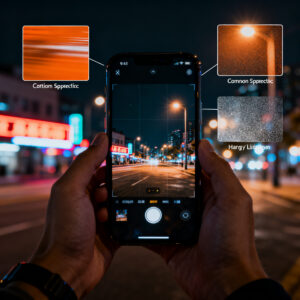
To spot grain vs noise in your own photos, zoom in on flat, uniform areas like the sky or walls. Grain will look like bigger, regular specks, often with a consistent pattern. Noise will be more random, with color shifts that don’t follow a pattern. Another tip: compare shots taken with the same exposure but different ISO—the higher ISO will show more grain or noise, but grain tends to appear more intentionally when the image has strong contrast. Your best bet is to keep ISO as low as you can while maintaining a usable shutter speed, and reserve high ISO for moments you can’t miss.
When you’re deciding on settings, think about the scene’s mood. If you want a clean city night photo, keep ISO low, use a tripod, and rely on longer exposure. If you’re chasing a fast-moving subject, accept some grain as a trade-off for a sharp capture. Your phone’s processing can also smooth noise a bit, but not perfectly. It’s better to shoot two frames: one with a lower ISO for clarity and one with a higher ISO for motion, then blend them if your app allows.
When grain is texture and when it’s sensor noise
You’ll often hear that grain is texture and noise is noise. The line between them can blur in night photography, but there’s a simple way to tell: texture-like grain usually shows up in mid-tone areas and is patterned, while noise is more random and affects shadows and dark regions. Texture can feel deliberate if it looks like tiny, uniform specks across the image, almost like film grain. Noise will mix colors in an unpredictable way, creating blotches and color specks that don’t align with the subject.
If you want a textural look without losing too much detail, you can embrace grain as a style choice. Shoot in RAW if your phone supports it, then apply a small amount of sharpening and noise reduction in post if needed. The key is balance: too much texture can overwhelm, but a touch of grain can add mood, especially in urban night scenes. When noise takes over, you’ll notice soft edges and a muddy look, which makes it hard to identify details. In that case, reducing ISO or increasing light, even slightly, can dramatically improve readability without sacrificing the atmosphere.
In practical terms, you decide by your target outcome. If your photo is going on social media, a touch of grain might help it feel authentic. If you’re documenting a scene for memory, you’ll want cleaner results, so push to lower ISO and steadier hands. Your device’s shooting mode can assist: Night Mode and multi-frame stacking can reduce noise while preserving texture where it belongs. You control the vibe, and a little knowledge goes a long way.
Spot the visual difference yourself
To spot the difference, compare two close-up shots: one with higher ISO and one with lower. Look at flat areas like the sky or walls for grain lines versus random specks. On grains, you’ll often see a more uniform pattern across similar tones. On noise, you’ll notice color specks that jump around and don’t align with the scene’s natural colors. Zoom in and you’ll confirm what you’re dealing with: texture appears as intentional grain, while noise looks like digital interference.
If you want a quick check, shoot a dark scene at two ISO settings, then view them side by side. In the higher ISO image, scan for blotchy color patches in the shadows and a general softness in edges. In the lower ISO image, you should see cleaner shadows and sharper lines, with the price of less light and motion. Your eyes will quickly learn to recognize which is which, helping you choose the right settings on the fly.
How Computational Photography Cuts Your Night Noise
You’ll notice your night photos look cleaner as computational photography does the hard lifting in the background. The camera uses smart tricks to reduce grain without losing detail. It’s like cleaning a dusty window so you can see the scene clearly, even when the light is scarce. The result is photos that feel smoother, with colors that don’t wander in the dark. You’re getting steadier shots, and that means less time retaking or trying to fix things in post.
Behind the scenes, the phone blends information from multiple moments to separate signal from noise. You don’t have to be a pro to benefit—your phone does the balancing act for you. This tech relies on clever math and quick moves, all tucked inside your camera app. When you snap, the device looks at tiny patterns, detects random specks, and decides what to keep. The goal is a more faithful picture without the scratches of digital grain. You’ll see your night scenes appear with more depth and less fuzz.
computational photography noise reduction basics
You’ll learn a few core ideas that make night noise fade away. First, the camera looks at many tiny pixels together, not just one bright dot. This gives the system enough clues to tell the real image from random specks. Second, it uses smart filters to smooth out grain while preserving edges, so your subject isn’t smeared. Third, the phone often uses a balance of brightness and color science to keep things natural. It won’t wash out shadows or punch up highlights unrealistically. This baseline reduces noise, keeps detail, and stays true to the scene.
You’ll also see a difference in how fast photos process. Some phones do the heavy lifting after you press the shutter, while others start the work while you’re still framing. Either way, you’ll get a cleaner image without waiting long. If you’re curious, you can peek into the camera settings to see when noise reduction is active and how aggressive it’s set to be. It’s a good way to tailor the experience to your night style.
multi-frame stacking and AI denoising for you
You’ll get an extra boost when the camera stacks several frames together. This is like layering sheets of glass to reduce speckle and smooth out the noise. Each frame adds information, and the software blends them to reduce grain while keeping colors accurate. AI denoising fills gaps with realistic detail, guessing what darker areas should look like based on surrounding pixels so you don’t end up with flat patches.
If you’re shooting landscapes or night portraits, multi-frame stacking plus AI denoising can make a big difference. You’ll see crisper skies, better texture on building facades, and skin that doesn’t look washed out. The key is to hold still and let the phone do its job. You’ll be surprised how much cleaner your shots can become with these tools working in tandem.
software blends frames to lower noise
Your camera software blends frames to lower noise, smoothing grain across the image while preserving key features like edges and color boundaries. You’ll notice cleaner skies, smoother skin tones, and less chalky shadows. It’s like a light edit that happens automatically, leaving you with a more polished final image. This blending balances noise reduction with detail, avoiding an overly plastic look.
Best Phone Settings to Avoid Noise in 2026
You want cleaner photos at night, and the right settings make a big difference. In 2026, your phone can do a lot, but tweaking a few knobs matters more than you think. Start by turning on Night mode when your scene is dark; it compiles several frames to reduce grain and keep colors from looking muddy. If your phone has a dedicated Night or Moon mode, use it as a baseline. This helps your camera stack images and smooth out noise without washing out the details you actually want to keep. You’ll see a sharper face, clearer background, and less speckle across skies or shadows. Think of Night mode as a smart helper that steadies your shot when your hands shake or the street lights glare at you.
Next, check your exposure and shutter choices. In dim scenes, a longer exposure can gather more light, but it also invites blur if you’re not steady. If you’re using a tripod or a sturdy surface, push your exposure a notch or two higher and use a shorter shutter only when needed. If you’re shooting handheld, keep exposure a touch lower and let the camera compensate with smart noise reduction. Keep your focus locked to avoid the auto-focus hunt causing extra noise in the edges of your frame. Also, switch to a lower ISO when possible, because high ISO is the main culprit behind grain. When you must raise ISO, do it in small steps and review the shot on screen to see how much noise you’re getting.
Finally, think about white balance and color toning. Warm lighting can hide noise by blending colors, but you don’t want yellowy skin tones. Try a cooler balance and then adjust in editing if your app allows it. If your phone offers a multi-frame or RAW option, use it. RAW gives you more control later and often preserves detail even when noise is present. With practice, you’ll learn which mode keeps your sky clear and your faces natural without turning your night photos into mush.
Best settings to avoid noise on phone 2026
Your best bet for sharp night photos in 2026 is to embrace a few core settings and adjust as you go. First, enable Night mode or a similar feature, especially in scenes under street lamps or neon. Night mode uses multiple frames and smarter processing to cut noise and brighten shadows without blowing highlights. If your device supports it, set the timer to a short delay so the camera can stack frames without you moving much. Rest your phone on a stable surface or use a small tripod to maximize the benefit of longer exposure in Night mode. The result is clearer details in the shadows and less grain across the whole frame.
Another key setting is ISO management. Your instinct might be to push ISO up to see in the dark, but higher ISO adds grain. Try to keep ISO as low as you can while still keeping a usable shutter speed. If you’re shooting people, a modest ISO with a wider aperture can keep faces smooth and reduce skin noise. If your camera offers ISO Auto with a ceiling cap, set that cap to a reasonable limit like ISO 1600 or 3200, depending on your phone’s sensor. Review a few shots and notice how noise changes as you step down the ISO. You’ll often find a sweet spot where the image stays bright without the grain.
Lighting balance matters too. Avoid scenes where a single bright light causes glare and forces the camera to clamp shadows, which introduces noise in the darker areas. Add a little ambient light if you can—move closer to a lit area, or choose a scene with multiple soft light sources. If you must shoot in total darkness, use a tripod and keep ISO low while leveraging longer exposure with Night mode to collect the light gradually. Your goal is a balanced image where noise stays low but the important details still pop.
ISO limits, exposure, and night mode tips you can try
- Set a practical ISO ceiling based on your phone: many devices stay clean up to ISO 800–1600; beyond that, you’ll start seeing grain.
- Use Night mode for low-light scenes and let it stack frames. If your phone allows a longer exposure in this mode, experiment with a few seconds for static scenes.
- Lock exposure and focus to keep noise from creeping into shadows. Tap to lock and avoid recomposition while the camera adjusts.
Change a few settings for cleaner images
- Keep ISO low, use a tripod, and lean on Night mode when possible.
- Review frames at full size to check noise in shadows and skin tones. Adjust ISO or exposure if needed.
- If you shoot RAW, you’ll have more leeway to reduce noise in post without sacrificing detail.
What Is ISO Noise in Phone Photography and Why It Gets Worse at Night (2026 Explained)
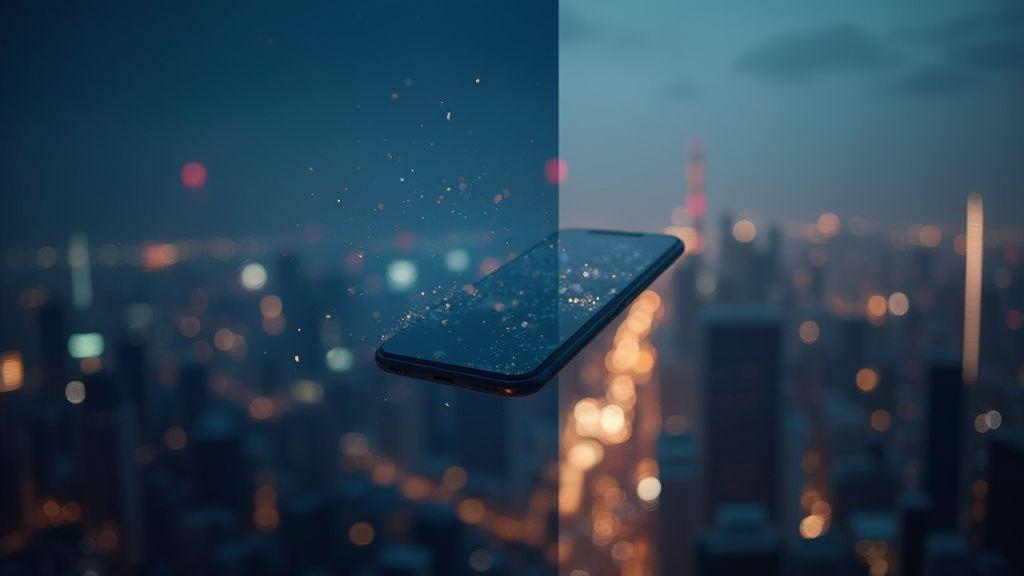
ISO noise is the grain you see when the sensor amplifies light to brighten a dark image. At night, signals are weak, so the camera cranks up the gain (ISO) to make things visible. That extra gain brings visible grains, color speckles, and blotchy shadows. The reason it gets worse in 2026 is that phones push higher ISO values more aggressively to keep exposure reasonable in very dark scenes. Modern sensors and processing can hide some noise, but when you push the limits, you’ll still see it.
The fix is simple in theory: collect more light with longer exposure or use multi-frame processing to average out the noise. In practice, you can help the camera by using Night mode, stabilizing your shot, and keeping ISO as low as possible for the scene. This way, you’ll keep more detail your eyes care about and still avoid the grain that makes photos look old or cheap. If you’re curious about the full picture, this topic is exactly what you want to read: What Is ISO Noise in Phone Photography and Why It Gets Worse at Night (2026 Explained).
Practical Ways to Reduce ISO Noise on Your Phone
When you’re snapping at night, your phone can struggle with grainy photos. You can limit ISO noise by keeping your settings simple and steady. Start by letting your camera focus on a well-lit part of the scene before you shoot, so you don’t push the ISO higher than needed. If your phone offers an advanced mode, set a lower ISO and a longer exposure time instead of cranking the ISO up. This keeps brightness steady and reduces grain.
Another practical trick is to shoot in bursts with the lowest ISO you can manage, then pick the cleanest frame later. Night scenes often have tiny shifts in light, and a single frame can be noisy. By holding your phone steady and choosing a time when the light is a touch brighter (like after sunset but before it gets completely dark), you can drop the ISO and keep more detail. If you have multiple lenses, switch to the one with the best low-light performance and stay away from digital zoom, which magnifies noise instead of improving clarity. Your photo will look crisper when you avoid pushing the digital zoom to extremes.
Lastly, use exposure compensation to keep exposure balanced without raising ISO. On many phones, you can tap to meter a brighter spot and nudge the exposure down a notch if the scene isn’t too dark. This small adjustment helps you stay at a lower ISO and still capture the mood.
Reduce ISO noise smartphone everyday tricks
- RAW if supported preserves more detail to reduce noise later in editing.
- Use a steady surface or tripod; steadier hands mean lower ISO for a good exposure.
- Enable gridlines to keep horizons straight and frame away from brightest light sources, which can push ISO.
Before you snap, scan for brighter edges or lamps and aim your subject away from those bright spots. In post, you can apply light noise reduction sparingly to preserve texture. Balance is key: don’t push ISO to the minimum every shot—adjust for the scene. In a very dark room, adding a bit of ambient light (like a lamp behind you) can steady the scene without washing out the moment.
Use Tripod and RAW to Get Cleaner Night Photos
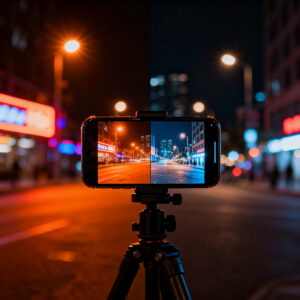
A tripod plus RAW saves you from blurry frames and heavy noise. A steady base lets you keep a longer shutter open without shaky hands. RAW files capture more light information than JPEG, giving you more detail to edit later. If you’re new to this, test different exposure times on a stable surface.
RAW helps you pull details from shadows and reduce grain in edits. When you shoot RAW, you’re saving the sensor’s raw data, not a processed preview. That means you can recover highlights without clipping and bring back midtones that JPEG might crush. Night scenes have a lot of contrast, so RAW gives you the flexibility to balance those areas later. Your phone may offer a RAW option in the camera app or a dedicated app; enable it and don’t fear the bigger file sizes. You’ll thank yourself when you start editing.
A tripod isn’t only for long exposure; it also ensures consistency across multiple shots. When you shoot multiple frames for stacking or bracketing, the alignment stays precise, and you can blend later in post. Longer exposures collect more light, but you need the stability to avoid motion blur. If you don’t have a tripod, brace your phone against a stable surface and use a timer to reduce shake. The result is crisper edges and less random blur, which helps every detail pop in the final photo.
why RAW helps night photography noise reduction phone
RAW gives you more latitude to fix noise after the shot. Noise shows up as speckles, especially in the darker areas. With RAW, you can adjust exposure, shadows, highlights, and clarity without the heavy compression of JPEG, which often amplifies noise. Your editing software can apply smarter noise reduction to RAW data, reducing grain while preserving edges. This is why RAW is the go-to when you’re chasing night photos with smoother tones and clearer textures.
Longer exposure with a tripod vs raising ISO
With a tripod, you can use a longer exposure to gather light slowly, which keeps your ISO low. Low ISO means less noise by default, so you get cleaner results. A 1–3 second exposure might feel long, but on a tripod it’s steady and safe. You’ll keep more detail in shadows and avoid the grain that comes from cranking ISO up high. If your scene doesn’t move, longer exposure is your friend; if it does, you’ll need to balance subject motion and noise.
Raising ISO can work in a pinch, but it’s a fight you’re likely to lose at night. Higher ISO boosts brightness but also amplifies digital noise and color artifacts. Shorter exposures with higher ISO aren’t your best bet for still nights. The tripod-and-long-exposure combo gives you the cleanest result with less noise.
Capture more signal and edit noise in RAW
When you shoot RAW, you capture more signal from the scene, giving you a richer base to edit. You’ll have more tonal information in the dark areas and more gradient steps to smooth out. In post, you can carefully reduce noise without erasing texture. The signal-to-noise improvement is why RAW shines for night photography: you’re not fighting a heavily compressed file; you’re shaping data you actually recorded. That makes your edits more convincing and your night shots more shareable.
How You Can Test and Compare Noise on Phone Cameras
You want to know when your night photos look clean, not grainy. Testing noise is your best friend. Start by defining a simple plan: compare different phones or settings side by side, and look at how much the image grain changes as you raise ISO or lower light. You’ll notice that some phones keep details sharp while others wash out with noise. Your goal is to spot which camera handles night better without chasing false positives from processing. Keep a small checklist: capture at similar distances, shoot RAW if you can, and save a baseline shot in bright light for reference. This becomes your reality test, not a guess.
When you test, you want results you can trust. Look for patterns: does noise stay even, or does it spike in shadows? Do colors shift when noise increases? You’ll learn to recognize if a phone’s software is aggressively smoothing noise, which can kill texture. Prioritize real-world scenes: a street with lamps, a storefront, or a dark alley. The more varied your samples, the clearer the truth about noise behavior. Your aim is to separate tool from gimmick, so you know what to expect at night.
Use a simple method you can repeat: keep lighting constant, keep distance the same, and shoot the same scene with different phones or modes. Over time, you’ll build a small library of night shots that show how each device handles noise. This becomes your practical guide for choosing a phone or mode for night photography. The process is repeatable, honest, and worth your time.
simple test shots to measure noise and SNR
Grab a dark scene with a few bright objects, like street lamps. Set your camera to the same exposure on every shot and take multiple frames. Look at shadows and midtones: where you see speckles, you’re seeing noise. Compare the brightness of the grain to the visible detail; if noise overwhelms detail, SNR is low. Take a clean shot at the same exposure in bright light to use as a control. This helps you see how much noise appears only in low light. You’ll quickly see which phone keeps texture without turning the image into a snowstorm.
Capture RAW if your phone allows it, then compare JPEGs and RAWs side by side. RAW shows you how much noise is actually there, without aggressive processing. If the RAW file still looks grainy after you push the exposure down, you’re seeing genuine sensor noise. If it looks clean, the phone’s software is doing a lot of denoising. Your takeaway: RAW vs. JPEG reveals where the noise lives and where the smoothing hides it.
compares sensor size, ISO behavior, and software results
Smaller sensors are louder in dark scenes. You’ll notice more speckles when the sensor can’t gather light. Big sensors catch more light and keep noise down at the same ISO, so you’ll see cleaner night shots. ISO behavior matters: some phones push ISO hard, which raises noise, while others cap ISO and use clever tricks to keep it calm. Compare how each camera behaves at the same exposure: do you get smoother results or chunky grains as you increase ISO? Look at color accuracy too; noise can turn gray into purple or green in shadows. Software results matter as much as hardware: some phones add denoise steps that soften edges, others leave detail. Your practical test should separate hardware reality from software polish.
When you evaluate, you’re not looking for perfect silence in noise—just reliable behavior. If one phone handles ISO better and keeps color more accurate, that’s a clear winner for night use. If another shoots better JPEGs but RAW reveals more noise, you know which one will look best with a little post-processing. Your goal is to understand how each piece works together: sensor, ISO, and the software that cleans or exaggerates. This clarity helps you pick the right tool for the night.
Run side-by-side tests you can trust
Set up two phones and photograph the same scene in the same light, with identical framing. Use the same exposure and color profile if possible. Compare the results with your eyes first, then zoom in to the shadows and highlights. Note how noise appears in uniform areas like skies or brick textures. If one image shows uniform color and the other has speckling, you’ve got your answer. Repeat with different scenes—street lights, storefronts, and dark corners—to confirm consistency. By doing this, you build trust in what you’re seeing and you avoid chasing a single, lucky shot.
Test across multiple ISOs and keep your baseline bright-light shot as a reference. This helps you quantify how noise grows with ISO and how each camera handles it. Your repeated side-by-side tests become a small, reliable dataset you can reuse for future comparisons or upgrades.

Smartphone Night Photography Enthusiast & Founder of IncrivelX
Vinicius Sanches is a passionate smartphone photographer who has spent years proving that you don’t need an expensive camera to capture breathtaking images after dark. Born with a natural curiosity for technology and a deep love for visual storytelling, Vinicius discovered his passion for night photography almost by accident — one evening, standing on a city street, phone in hand, completely mesmerized by the way artificial lights danced across wet pavement.
That moment changed everything.
What started as a personal obsession quickly became a mission. Vinicius realized that millions of people were carrying powerful cameras in their pockets every single day, yet had no idea how to unlock their true potential after the sun went down. Blurry shots, grainy images, and washed-out colors were robbing everyday people of memories and moments that deserved to be captured beautifully.
So he decided to do something about it.
With years of hands-on experience shooting city streets, starry skies, neon-lit alleyways, and creative night portraits — all with nothing but a smartphone — Vinicius built IncrivelX as the resource he wished had existed when he was just starting out. A place with no confusing jargon, no assumptions, and no gatekeeping. Just honest, practical, beginner-friendly guidance that actually gets results.
Vinicius has tested dozens of smartphones from every major brand, explored dark sky locations across multiple states, and spent countless nights experimenting with settings, compositions, and editing techniques so that his readers don’t have to start from scratch. Every article on IncrivelX comes from real experience, real mistakes, and real lessons learned in the field.
When he’s not out shooting at midnight or writing in-depth guides for the IncrivelX community, Vinicius can be found exploring new cities with his phone always within reach, looking for the perfect shot hiding in the shadows.
His philosophy is simple: the best camera is the one you already have — you just need to learn how to use it in the dark.